
The Priority Vacancies dashboard widget has been updated, allowing you to set your own priority vacancies.
You can set a vacancy’s priority from the vacancy record’s Overview screen. A vacancy’s priority is also displayed in [Dashboard > Pipeline] when in Vacancy View.
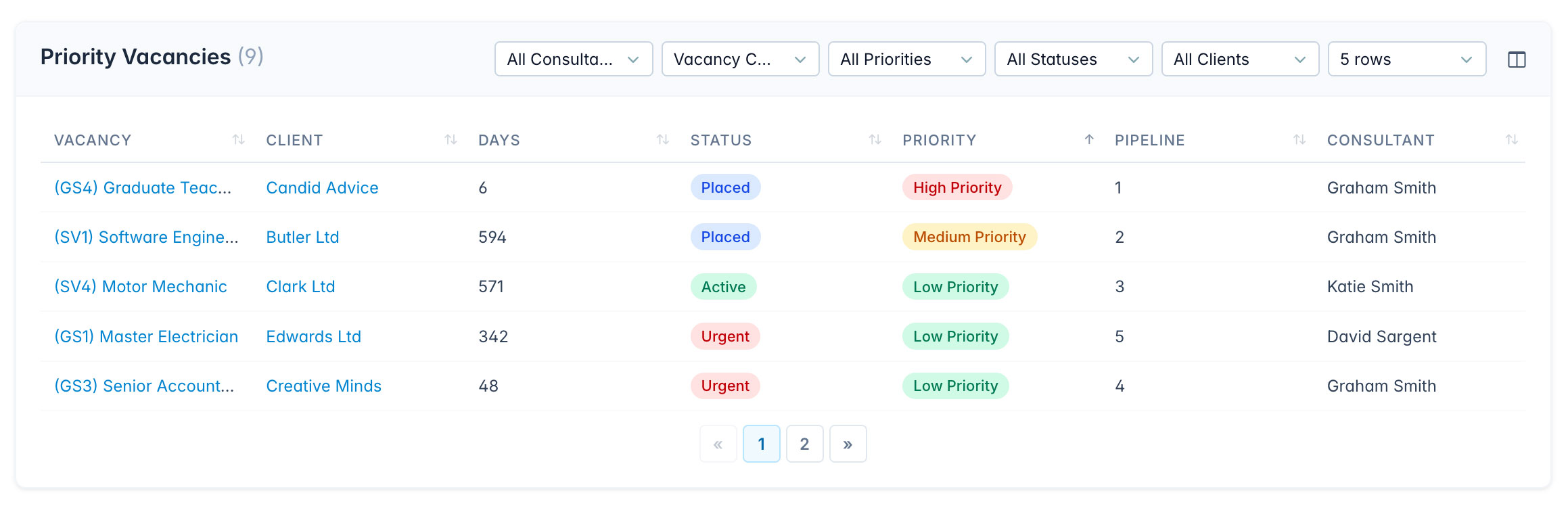
Status vs. Priority
Status is set automatically by the system, based on how long the vacancy has been open and its pipeline activity. For example, a vacancy that has been open for a long time with little pipeline progression may be flagged as Urgent.
Priority is set manually on the vacancy record’s Details screen. You can also choose which columns to display using the widget’s column picker.