
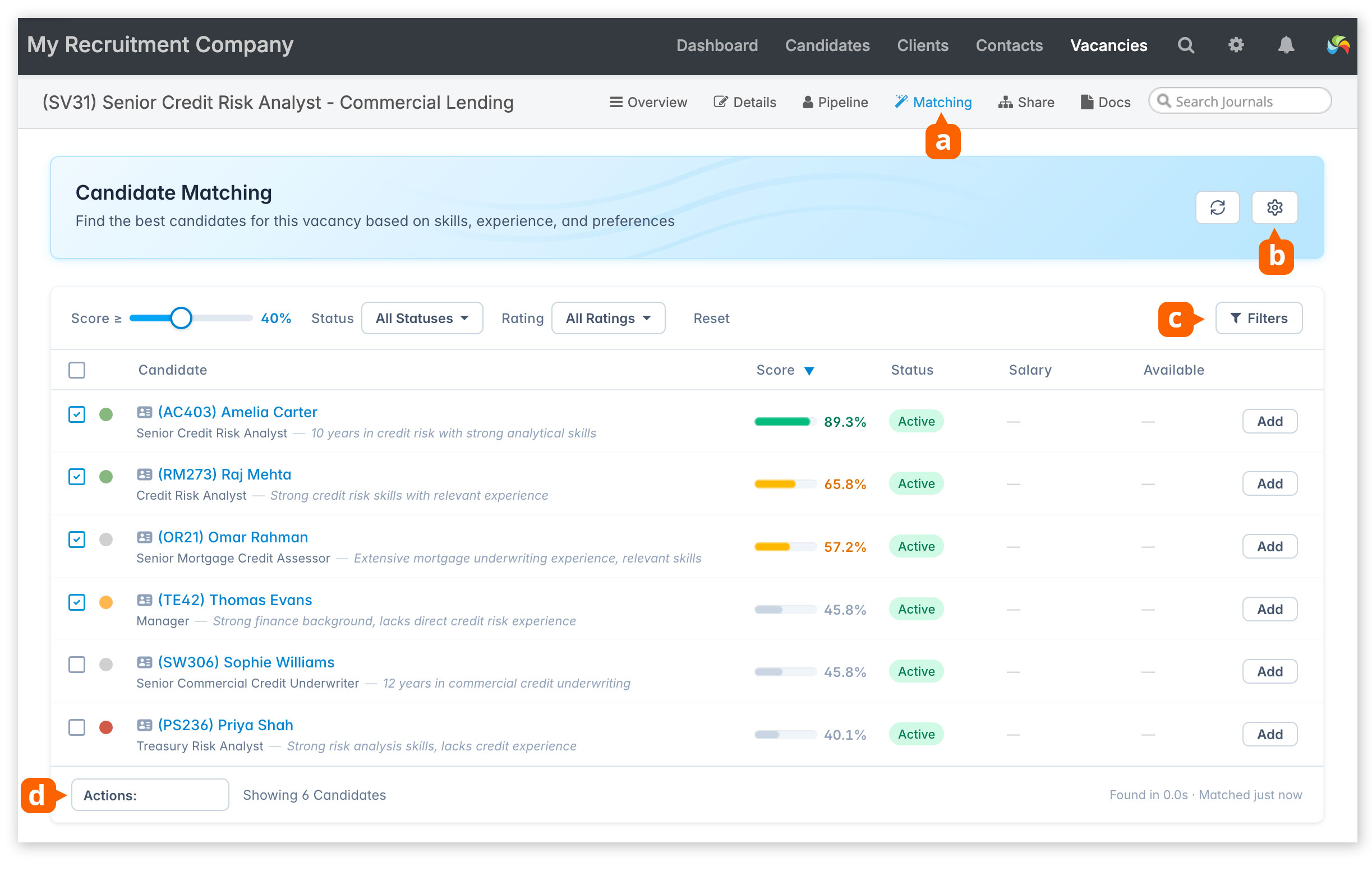
Available from a vacancy record [a].
Candidate Matching compares a vacancy with your candidate database to find the best-fit candidates. It looks at CV content, job titles, skills, experience, qualifications, salary, location, work type, and industry fit, then ranks candidates with a score out of 100 and a short explanation. You can adjust matching settings to widen or narrow the results, then add suitable candidates directly to the pipeline.
Customise criteria used [b], add filters [c] to further refine the results and perform bulk actions [d].
Full documentation is available here.
Note: If you don’t yet see the Matching button, it just means your database is currently being indexed and enriched behind the scenes. This is a one-time process to prepare your existing candidate data for matching.
Depending on the size of your database, this may take anywhere from a few hours to a couple of days. Once complete, the Matching button will automatically appear [a]. No action is needed from you, and you can continue using the system as usual in the meantime.