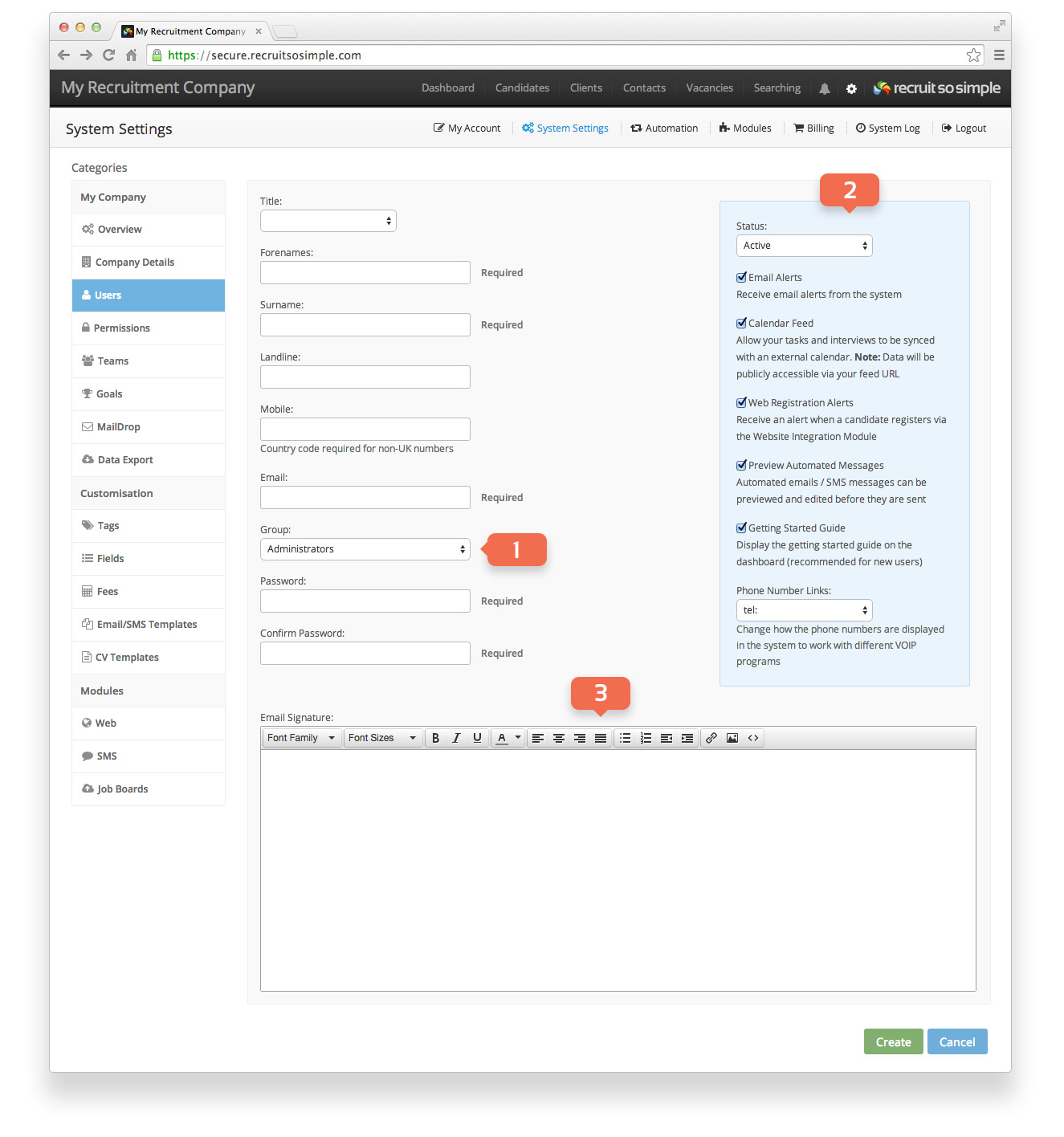
Settings > System Settings > Users
Manage, add and archive your users.
- Group Choose which group a user should belong to. Administrators have full access to the system, while Standard Users will have limited access. You can change the permissions of the Standard User group from [Settings > System Settings > Groups].
- Options:
- Status Archived users will no longer have access to the system, but their profile will be saved for reactivation at a later date if required.
- Email Alerts The system will email you in the following circumstances:
- Task reminders
- A task has been assigned to you
- A support ticket has been updated
- You are running low on SMS credits
- A candidate has registered via your website
- Calendar Feed Sync your RSS calendar with your usual calendar software (setup required).
- Web Registration Alerts Choose if you want to be alerted each time a new candidate registers via your website.
- Preview Automated Messages The system allows you to setup automated tasks, emails and SMS messages. For example you can automate an email to be sent each time you add a candidate. Here, you can choose to review the message before it is sent. Automation can be configured from [Settings > Automation].
- Getting Started Guide Display the ‘Getting Started’ guide on the dashboard (recommended for new users).
- Phone Number Links Change how the phone numbers are displayed in the system to work with different VOIP programs.
- The user’s 2-step verification setting is displayed here. You can disable it if necessary, but it can only be enabled by the user themselves.
- Email Signature Create your personal signature here. If your company has disclaimers that need to be appended to all emails sent by all users, these can be added in the company email signature from [Settings > System Settings > Company Details].