Settings > System Settings > Job Boards
The Broadbean Integration module gives you the ability to post your jobs directly to Broadbean and import candidates directly into the system when they apply. This feature requires you to have a Broadbean account.
Visit www.broadbean.com
Configuring the Module
- First you must email Broadbean’s technical support team asking them to allow us to integrate with your account. Send an email to support@broadbean.com (and CC support@recruitsosimple.com) with our API key (1224213688) and your company name, asking them to allow our API key to integrate with your Broadbean account.
- Enter your Broadbean Admin username and password.
- Each user will need to enter their own Broadbean username and password under [Settings > My Account > Broadbean].
Posting a Vacancy
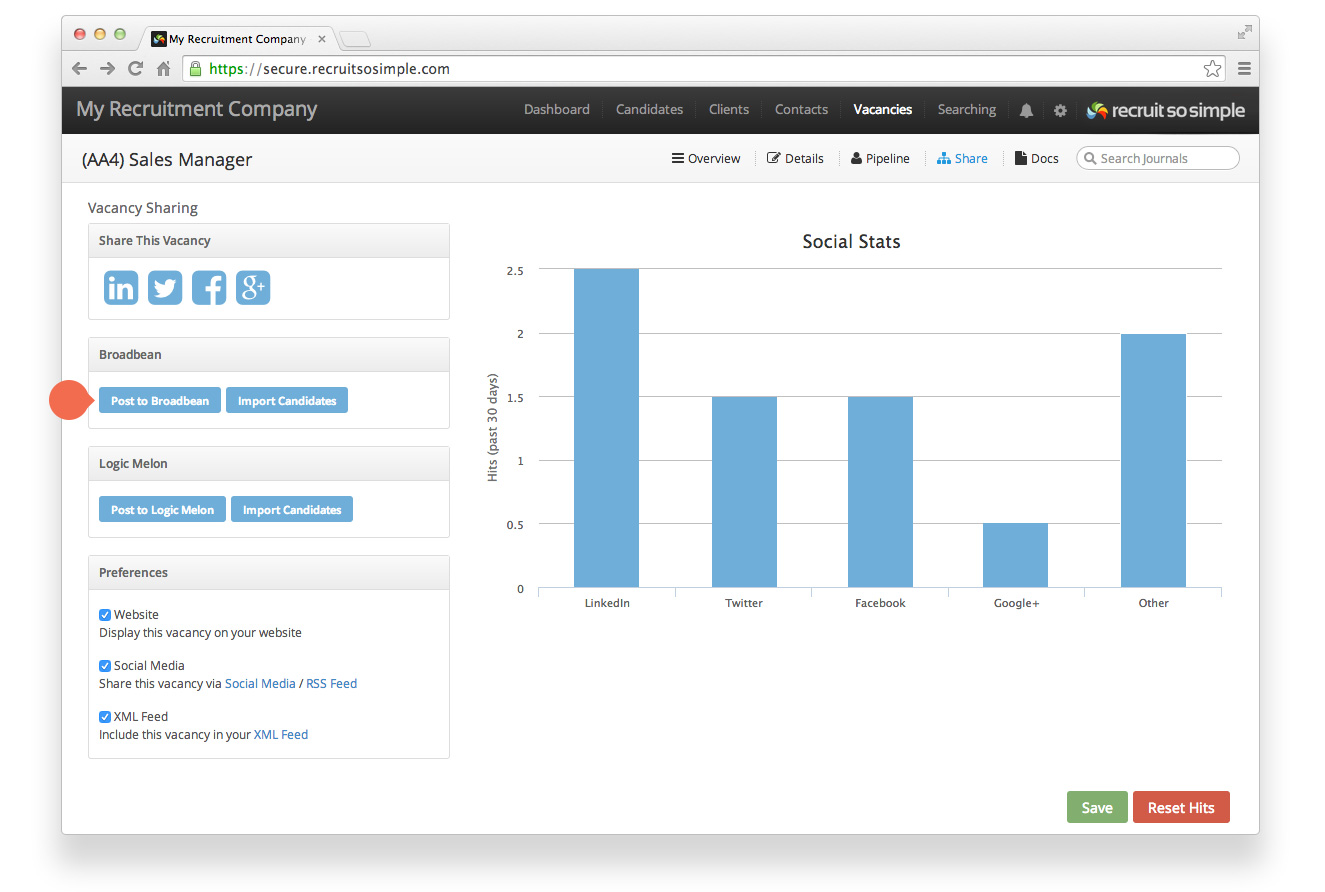
Post vacancy to Broadbean from the vacancy’s Share screen.
Importing Candidates
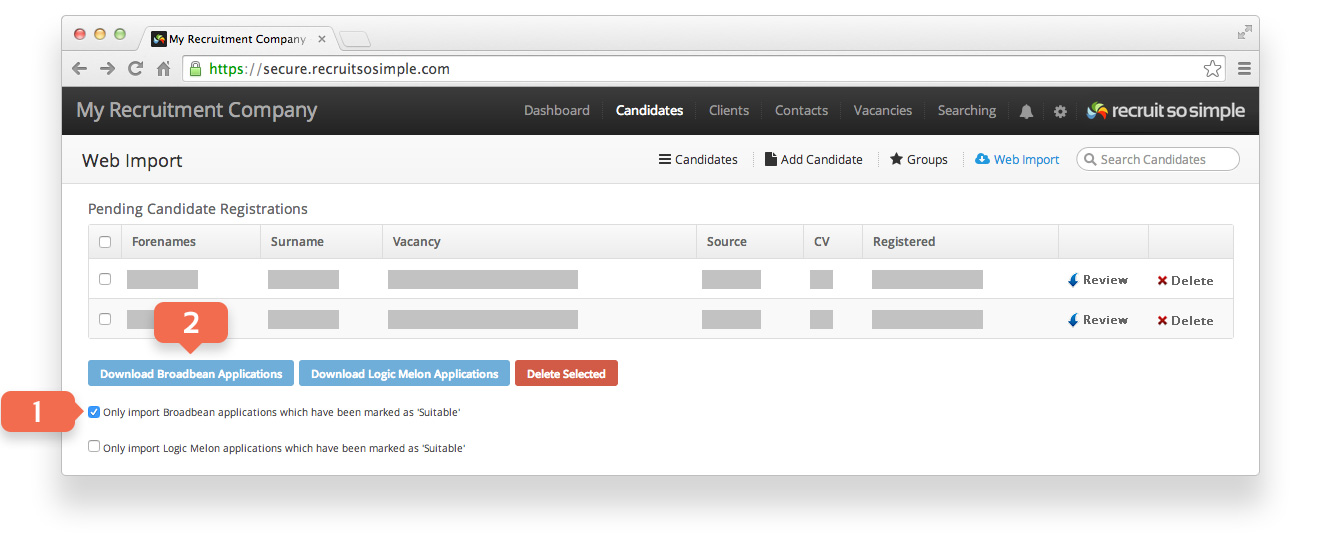
Candidates > Web Import
- Choose to only import candidates that you have marked as Suitable (you can flag candidates as suitable from your Broadbean control panel).
- Click Download Broadbean Applications. All candidates that have applied via the selected job boards will appear here, ready for you to review and import.
Important: When the download button is clicked, all users’ candidates are imported (regardless of which user actions the download). This means that if someone goes in later and flags their candidates, only new applications since the last download will be imported. Candidates that were left in the previous download won’t be imported.
Best practice might be to establish an import policy, for example before anyone downloads from Broadbean ensure that all users have flagged their candidates first.