
Settings > System Settings > CV Templates
This is a convenient way to convert a candidate’s original CV into your agency version, with personal details removed and your branding added. Use the editing tools to create your CV header, and insert the merge field {CVcontent} to specify where the original CV content will be placed.
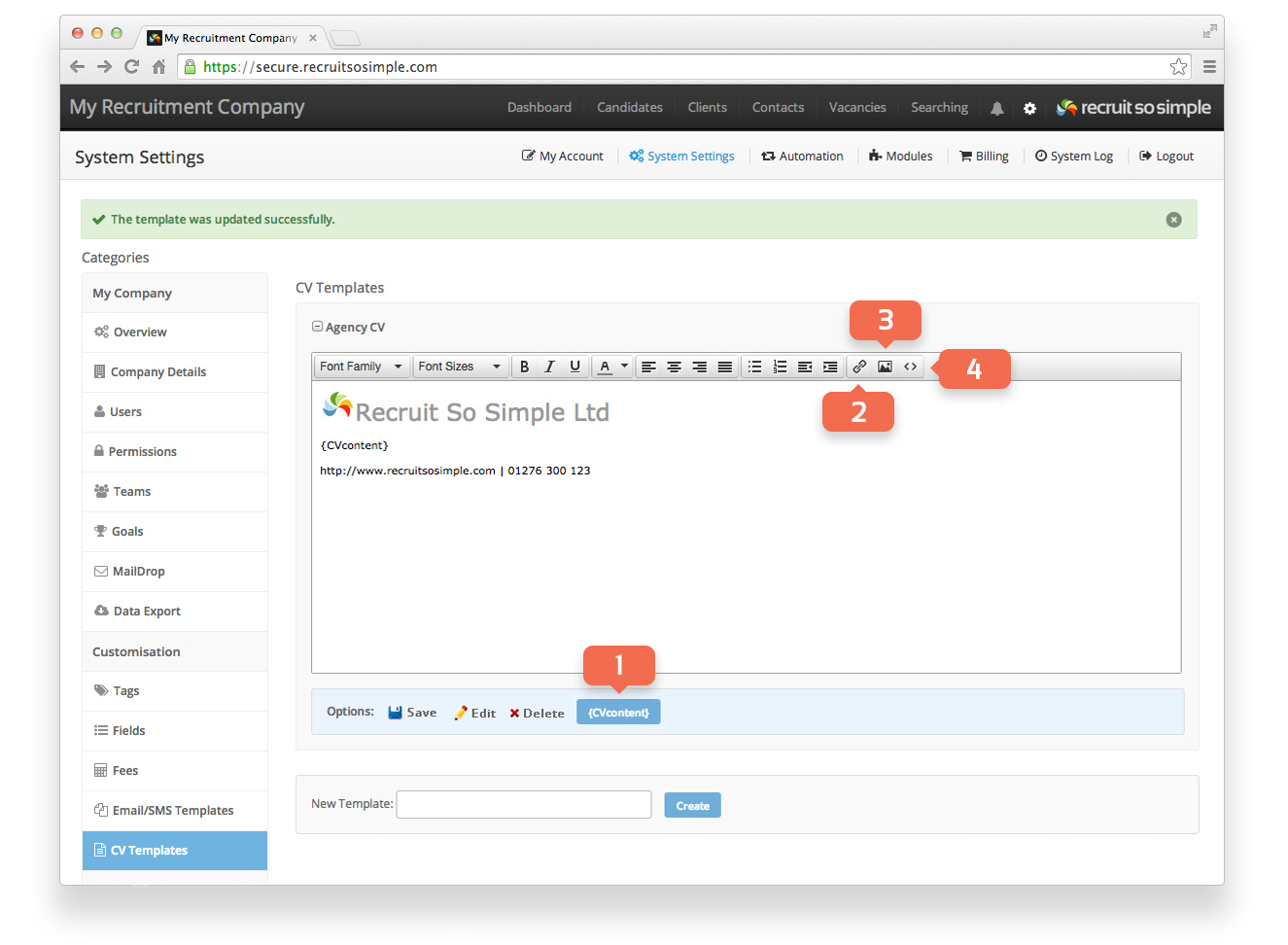
Create a template
- {CV Content} Specifies where the contents of the original CV will be placed
- Insert/edit Link Add hyperlinks
- Insert/edit Image Upload and insert your logo
- Source Code Advanced editing with HTML code
Using your CV Template
You can use your template to convert a candidate’s original CV into your agency version by going to the candidate’s ‘Docs’ screen. Open a candidate record and look for the ‘Docs’ link at the top of the page below the main menu.
- Click Create Agency Copy on the Docs screen.
- Choose your template from the drop down menu.
- Remove the candidate’s information as required.
- Click Create.
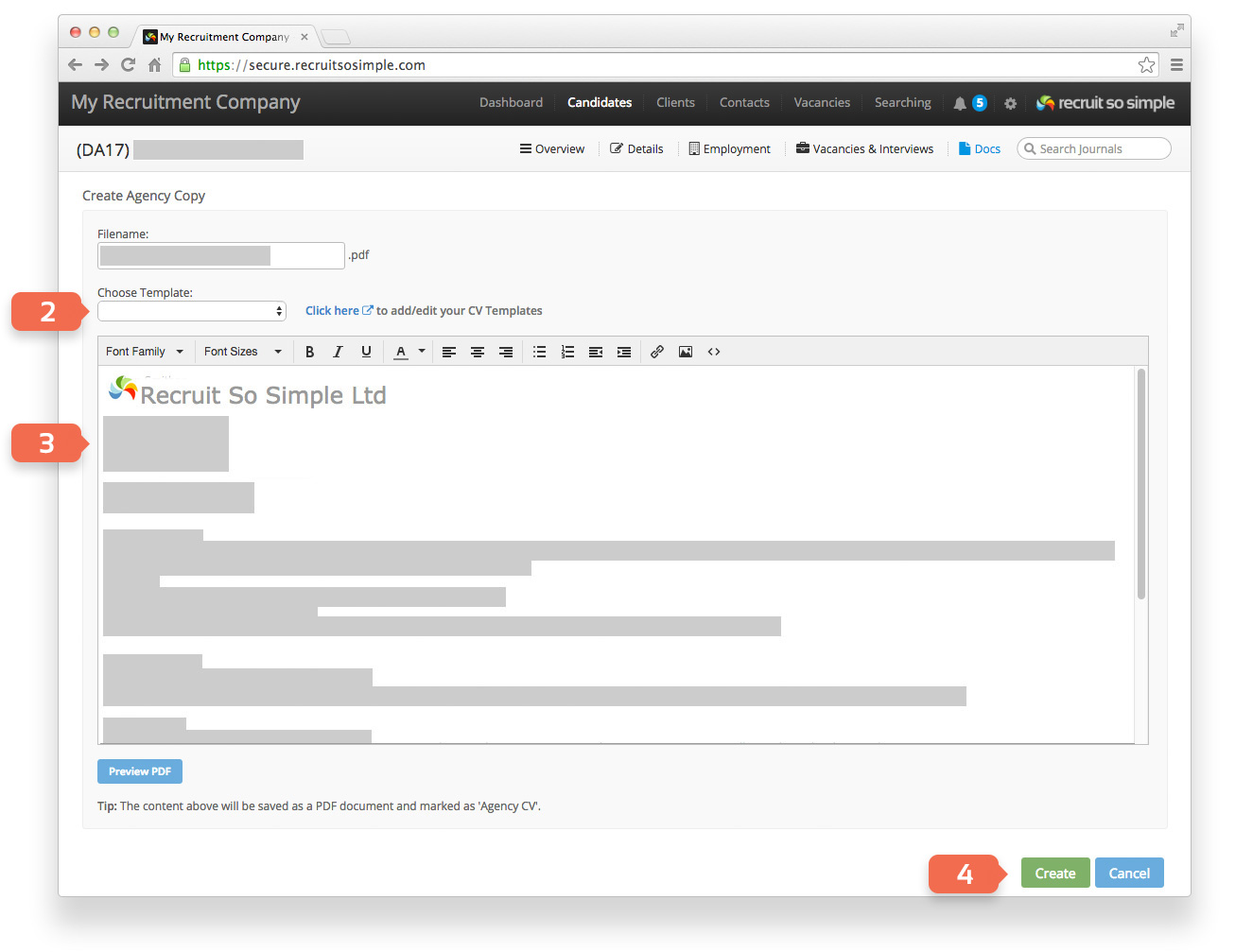
The system will now add your agency version in PDF format to the candidate’s Docs. You’ll find ‘Email CV’ buttons around the system, note that when you click these only agency versions will be sent.