
Settings > System Settings > Teams
You can organise your consultants into teams to help manage them more easily.
Some parts of the system allow you to view data based on teams as well as individual consultants, these include:
- Dashboard > Pipeline
- Dashboard > Tasks
- Dashboard > Calendar
- Dashboard > Reporting
- Goals setup under [System Settings > Goals] can be assigned to entire teams
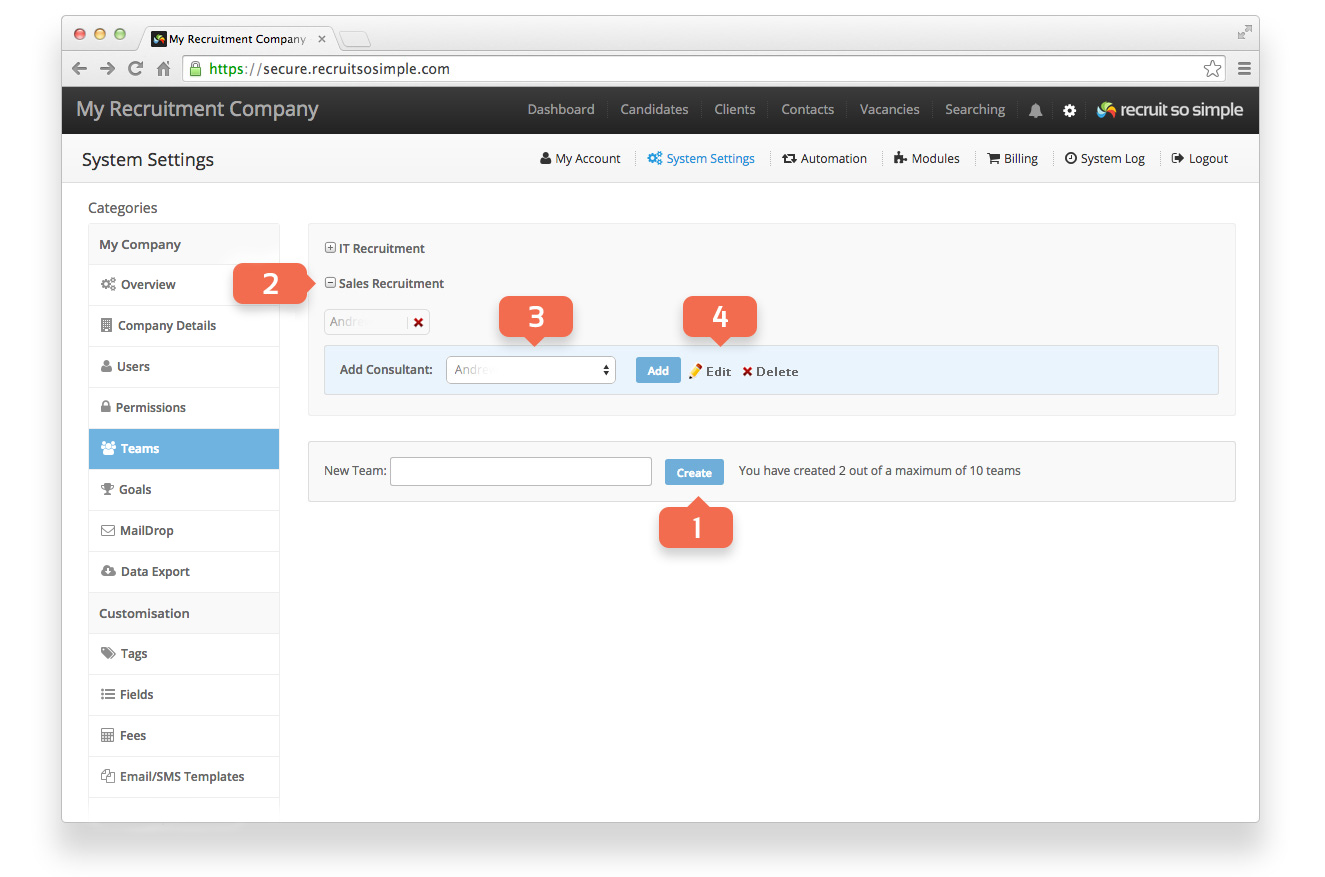
- Name and create a New Team.
- Open an existing team to view, add and delete team members.
- Choose team members from the list to add them to a team.
- Click Edit to change the team name and Delete to remove the team altogether.