
May has been a busy month for Recruit So Simple, with several important updates now available across matching, collaboration, placements, data quality, dashboards and automation.
These changes are designed to make day-to-day recruitment work faster and clearer: finding better candidate matches, keeping colleagues in the loop, sharing placement credit accurately, and giving teams more useful information at the point they need it.
- Candidate Matching
- Mentions
- Split Fees
- Clients and Contacts duplicate checking
- Vacancy grid improvements
- Dashboard, CV summary and automation updates
Here is what has changed, with links to the full documentation where available.
Candidate Matching
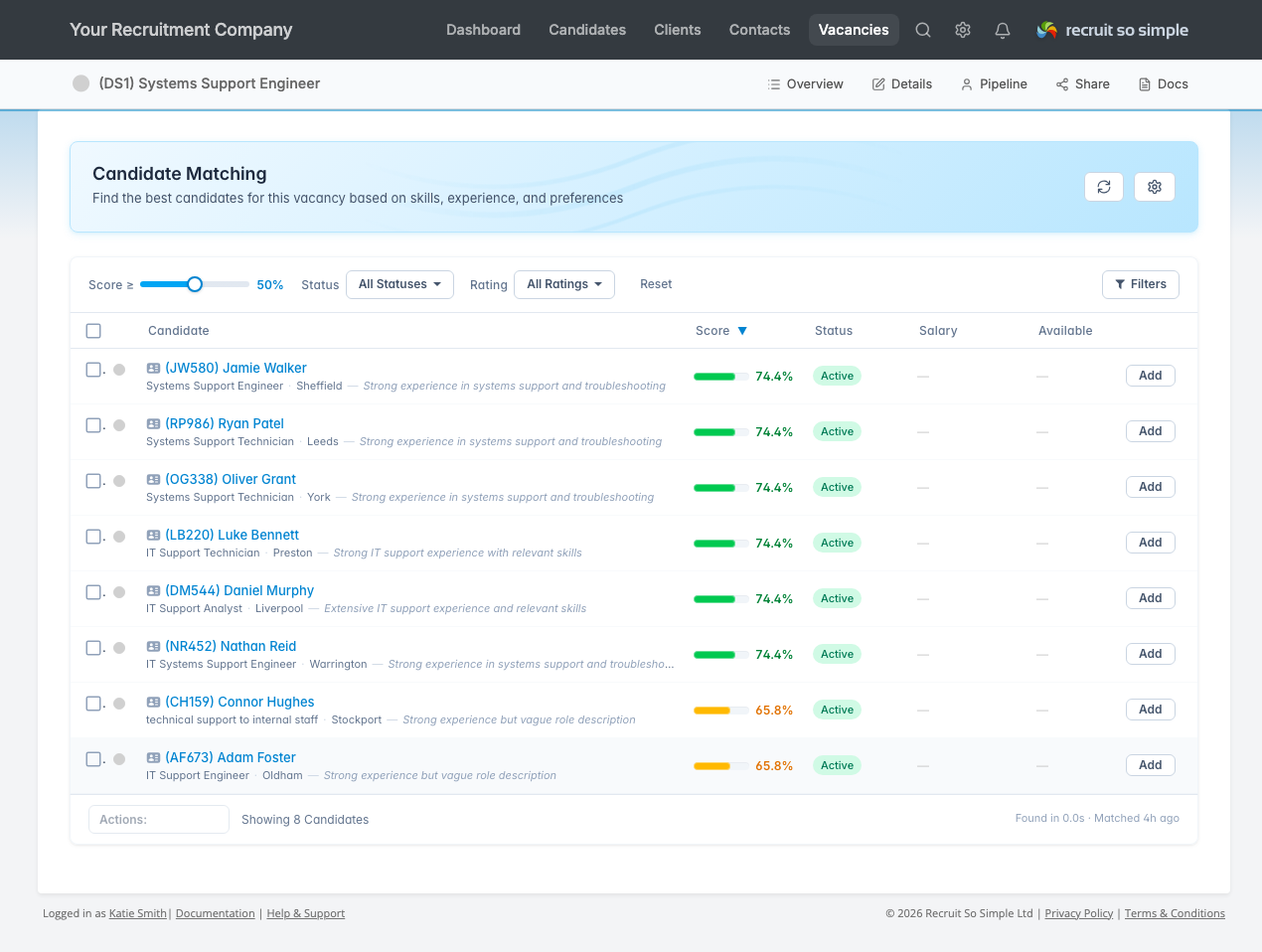
Candidate Matching helps you move from a vacancy to a focused shortlist much more quickly. It reads the vacancy details, identifies the key requirements, then searches candidate records for relevant job titles, desired roles, CV skills, experience, qualifications, education and previous roles.
This is intended to support recruiter judgement, not replace it. The aim is to surface stronger candidates sooner, reduce repetitive searching and give consultants a better starting point for review.
Note: If you do not yet see the Matching button, your database is still being indexed and enriched. This is a one-time process for existing candidate data. Depending on the size of your database, it may take from a few hours to a couple of days. Once it is complete, the button will appear automatically and you can continue using the system as normal in the meantime.
Mentions
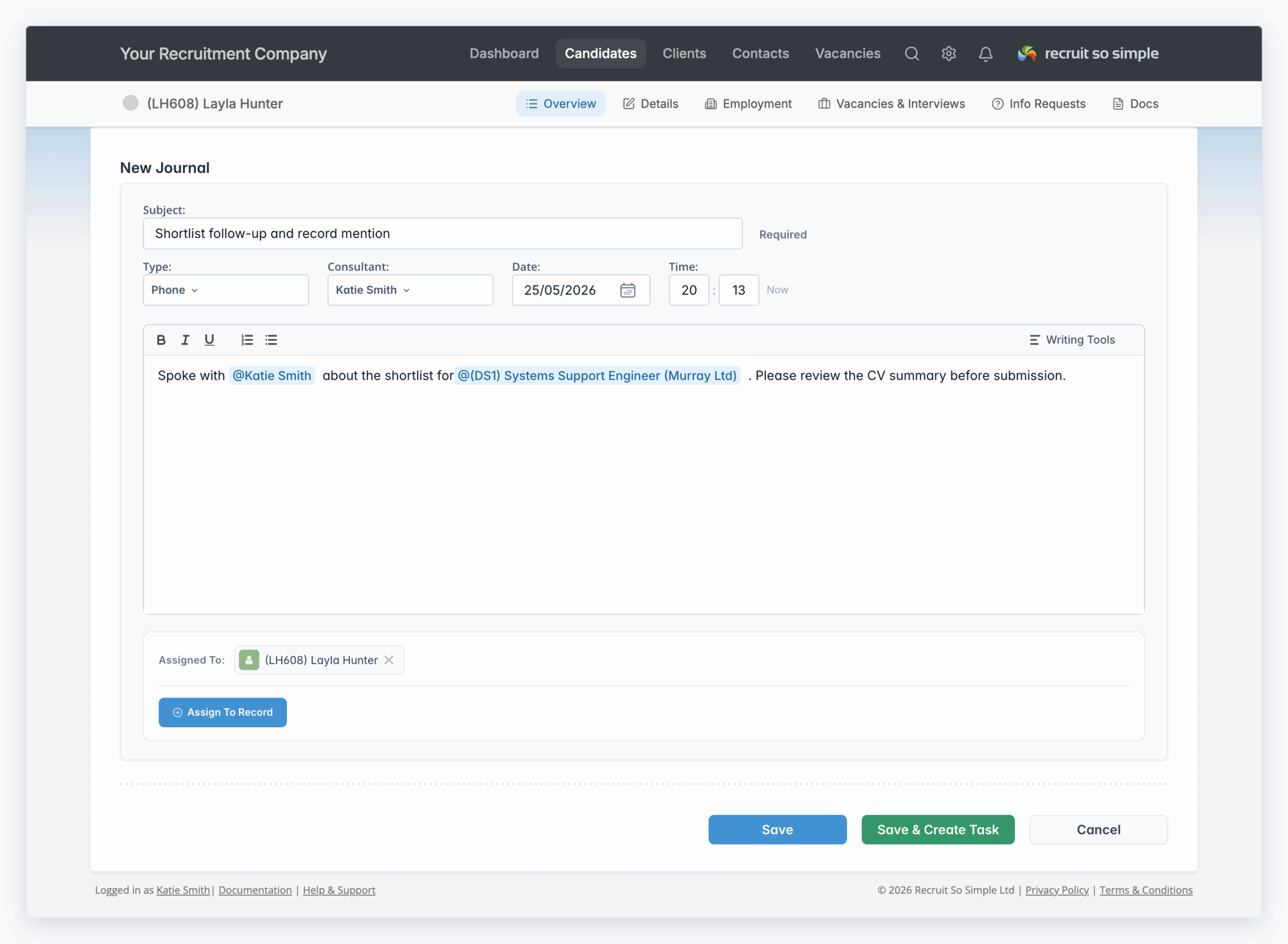
Mentions are now available in journal entries, so you can bring colleagues into the conversation and link related CRM records directly in the note.
Type @ in the journal editor to mention a user, candidate, contact, client or vacancy. Mentions appear as inline chips, making handovers, shortlist reviews and follow-up notes easier to read later.
You can also use the Mentions Me journal filter and the Recent Mentions dashboard widget to find updates that need your attention.
Split Fees
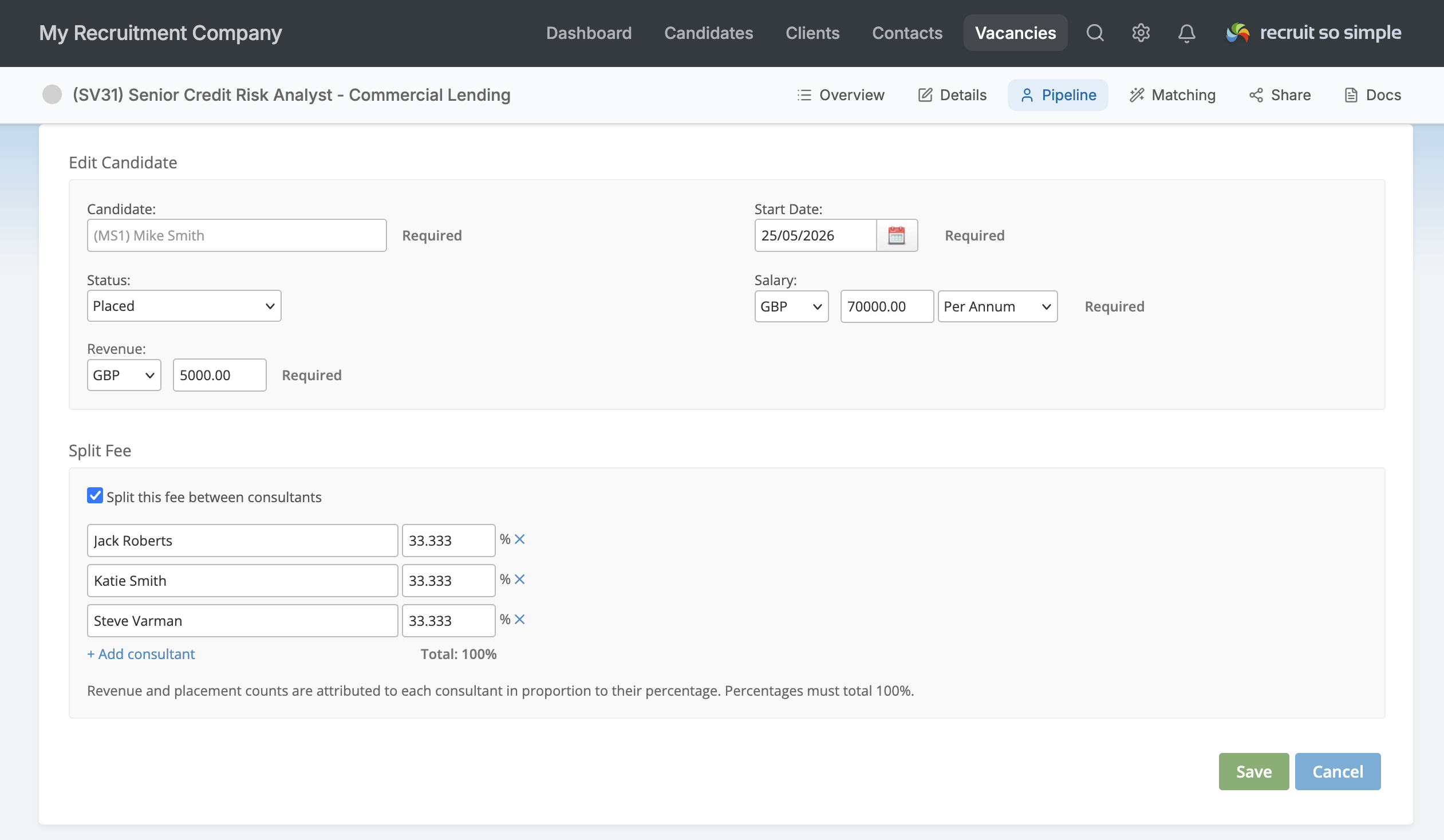
Split Fees let you divide a placement fee between multiple consultants when more than one person contributed to the deal.
Once enabled, a Split Fee section appears on the placement form. Tick Split this fee between consultants, add each consultant and set their percentage. The live total helps you confirm that the split reaches 100% before saving.
Revenue and placement counts are then attributed proportionally. For example, a 60/40 split credits 0.6 of a placement to one consultant and 0.4 to the other, so reporting reflects the work more accurately.
Clients and Contacts duplicate checking
Duplicate checking is now available for Clients and Contacts. It helps you identify potential duplicate records, compare matching details and keep your database cleaner with less manual checking.
For teams working at pace, this should reduce admin, avoid confusion and make it easier to maintain a single reliable view of each organisation and contact.

Vacancy grid upgraded
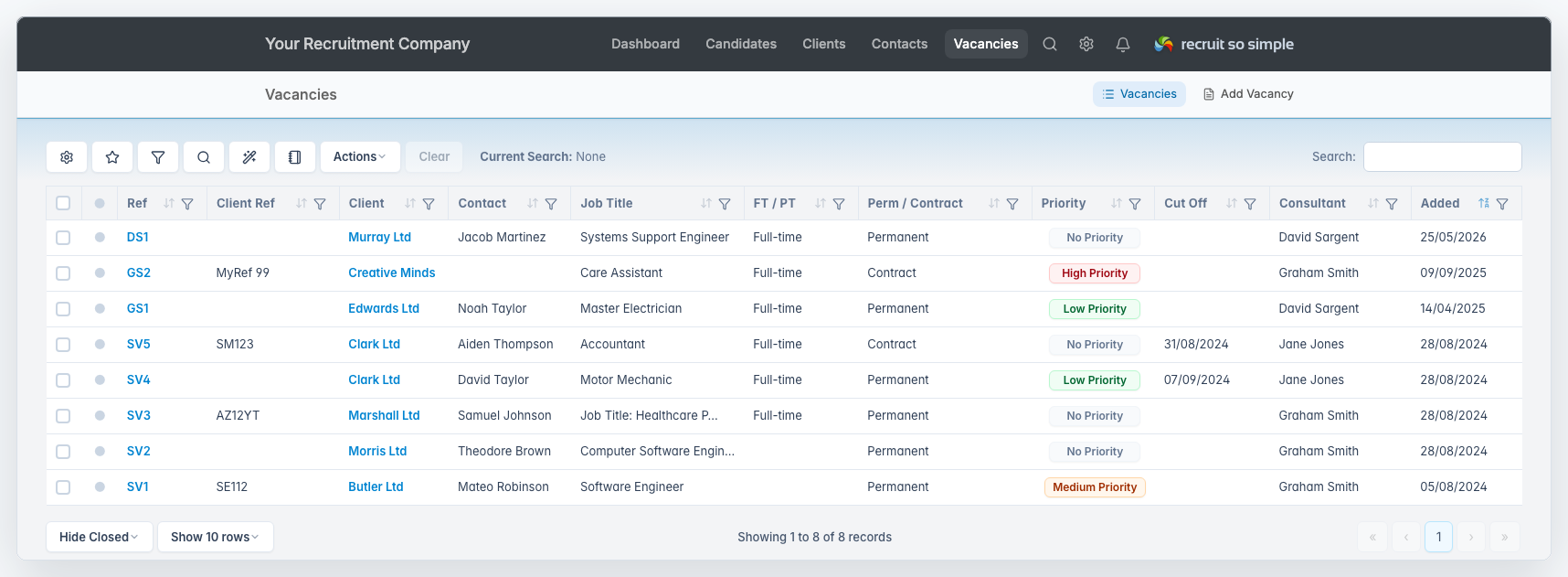
The Vacancies grid has moved to the newer dynamic grid style already used across other key areas of the system. You can customise columns, build and save advanced searches, apply filters and focus more quickly on the vacancies that need attention.
If you already use the newer Candidates, Clients or Contacts grids, the Vacancies grid should now feel familiar and more flexible.
Dashboard and CV updates
The new Consultant Log dashboard widget gives team leaders a clearer view of user activity over the last seven days. It can be filtered by time period, consultant and activity type.
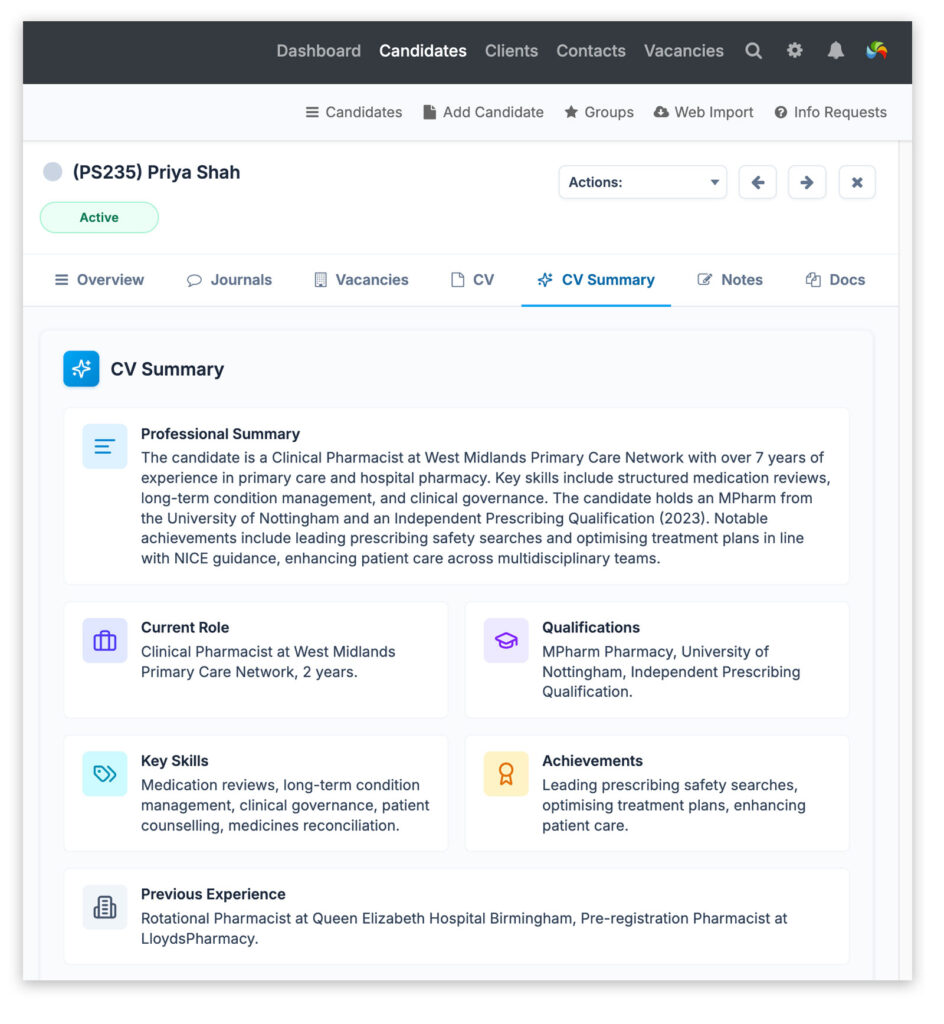
CV Summaries have also been improved. They generate structured summaries from candidate CVs, including professional background, current role, qualifications, key skills, achievements and previous experience. If a summary is not already available, use Generate CV Summary from the candidate record. Completed summaries are saved to the record for faster review and shortlisting.
Automation updates
Automated emails are now more flexible. They can be sent to custom email addresses, and when a custom address is used you can change the recipient while previewing the triggered email. Start typing to select a contact or candidate, or enter a new email address manually.
This is useful for situations such as interview reminders where a different client contact is handling the interview.
Automated tasks have also been improved. Start, due and reminder dates can now be based on interview dates and candidate start dates, rather than only the date the automation was triggered.
Other improvements
- The Priority Vacancy dashboard widget now includes the date of the last vacancy status change, making it easier to spot which vacancies are actively being worked on.
- The number of saved searches has increased from 50 to 100 for each user across the Candidates, Clients, Contacts and Vacancies grids.
- The Quick Stats dashboard widget in Consultant view now reflects the consultant’s own activity for Placements MTD and Open Positions.
- We have also made a number of smaller interface improvements across the system.