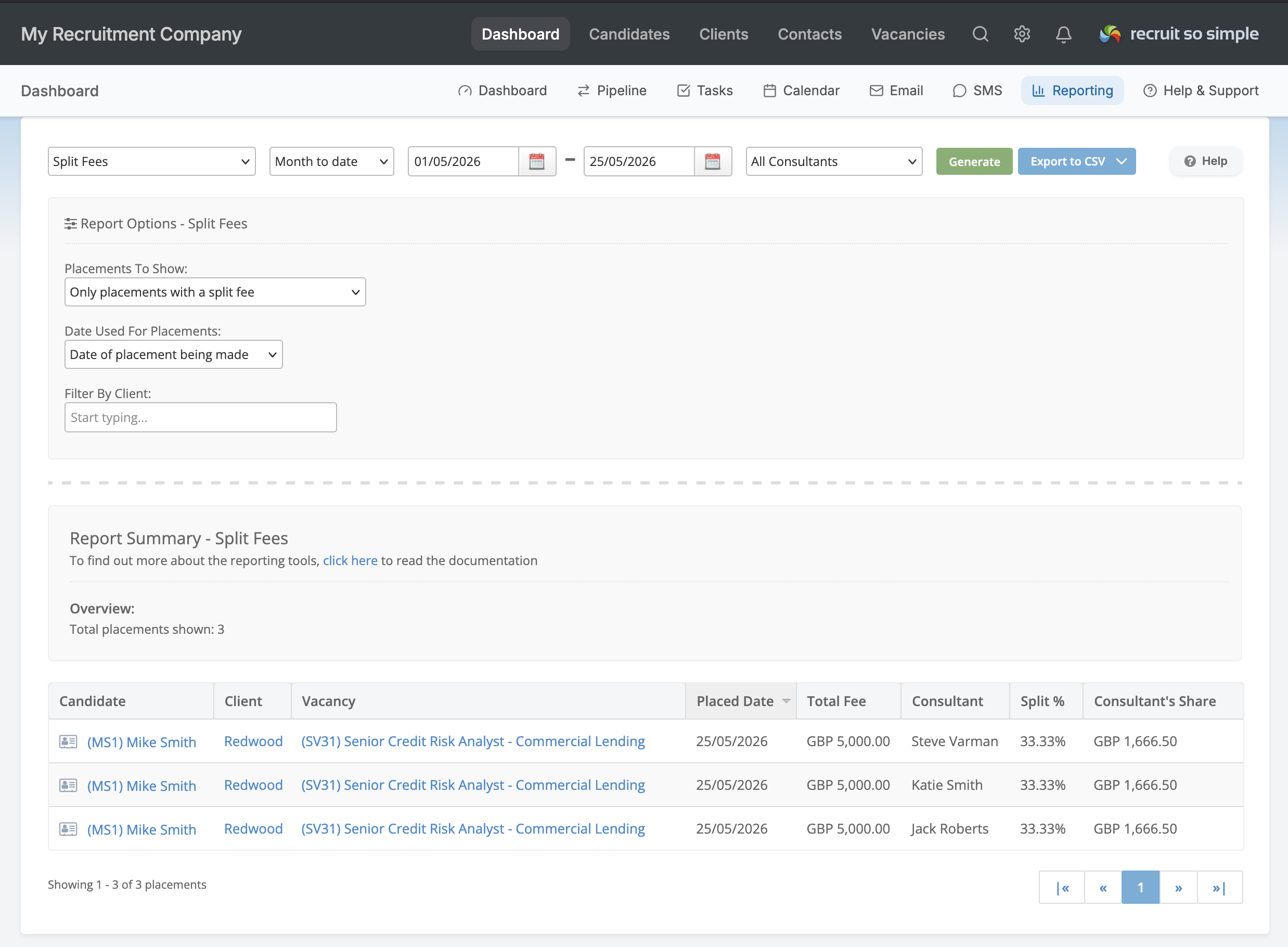
Split Fees let you share a single placement fee between multiple consultants — perfect for those deals where more than one person contributed to getting a candidate over the line. Rather than one consultant taking all the credit, you can divide a placement proportionally, so everyone’s figures reflect the work they actually did.
Enabling Split Fees
Split Fees is switched off by default. An administrator can enable it under System Settings → Company Details. Turning it off again simply stops new splits from being created — any splits you’ve already recorded stay exactly as they were.
Adding Fees
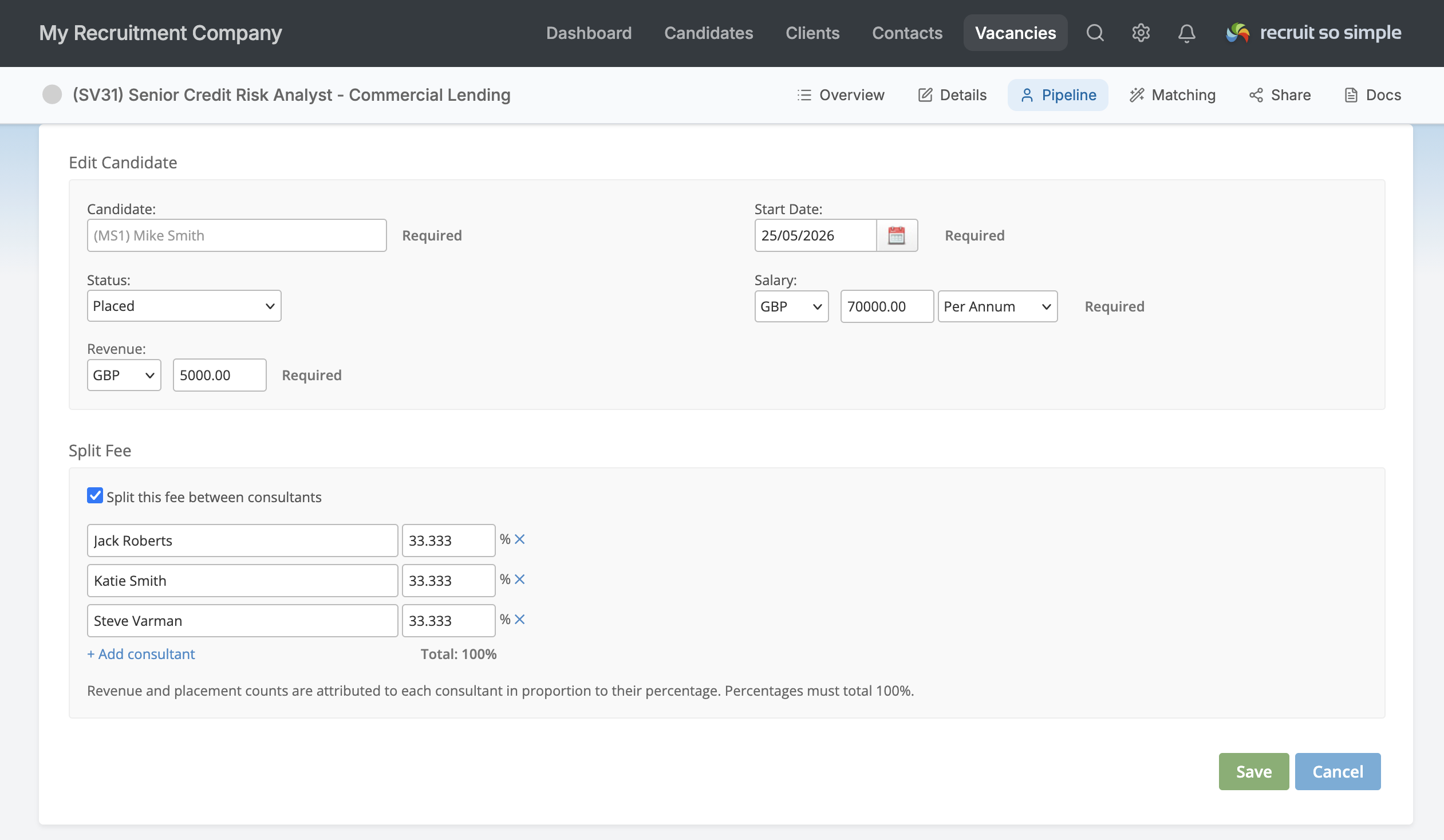
Once enabled, a new Split Fee section appears on the placement form. Simply tick Split this fee between consultants, add each consultant, and set their percentage — the live total makes it easy to see you’ve reached 100%. From that point on, both the revenue and the placement count are attributed fractionally to each consultant in the split, so a 60/40 placement credits 0.6 and 0.4 of a placement respectively.
Reporting
These figures flow straight through to your reporting, dashboard goals and the team leaderboard, giving you an accurate per-consultant picture without ever-changing your company-wide totals. There’s also a dedicated Split Fees report that breaks every split placement down by consultant and share.