
General
Settings > My Account > General
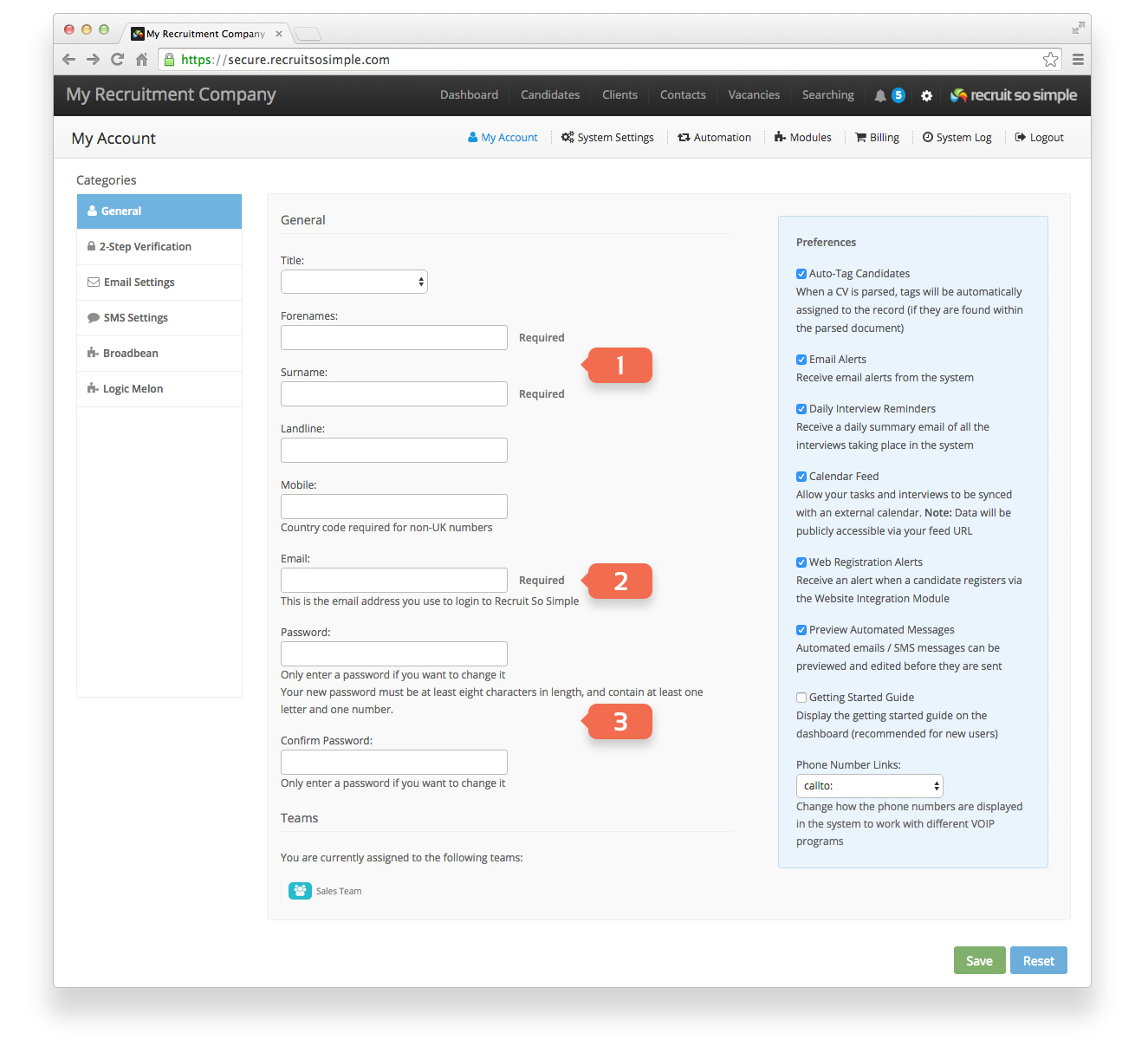
From here you can customise your personal information and set a more memorable password for logging into the system. You can also choose from a range of preferences to customise how the system works for you. Required fields are:
- Your name
- Email Address
- Password
| Preference option | Notes |
|---|---|
| Auto-Tag Candidates | Choose whether the system auto-tags candidate records when parsing CVs. Your tags can be automatically assigned to the record (if they are found within the parsed document). This setting applies to every way a CV can be parsed: Add Candidate, Web Import, CV Update and Bulk Import. |
| Email Alerts | Receive an email in addition to the system alerts. |
| Daily Interview Reminders | Keep up to date, even when not logged into the system. Receive a daily email of all scheduled interviews. An email will be sent daily at 5:00am UTC. |
| Calendar Feed | Allow tasks and interviews to be synced with other compatible calendars. Full setup instructions can be found here. |
| Web Registration Alerts | Receive a notification when candidates apply via your website. This requires the Website Integration module to be setup. |
| Preview Automated Messages | Preview automated emails before they are sent, allowing to review and edit them if required. |
| Getting Started Guide | Display the Getting Started guide on the dashboard (recommended for new users). |
| Phone Number Links: | Change how the phone numbers are displayed in the system to work with different VOIP programs. Choose between tel: and callto: check your VOIP documentation to see which option you need. |