
Recruit So Simple includes a range of AI tools designed to assist with assessing a candidate’s suitability for a vacancy, summarising CVs when adding candidates to the system, and generating content such as emails, journals, or texts – or writing a job description on a vacancy record’s Details screen. You can also generate a job description template, based on the vacancy’s job title, and example interview questions.
AI tools can be enabled or disabled globally under [Settings > System Settings > Company Details] located in the System Features section.
AI CV Summary
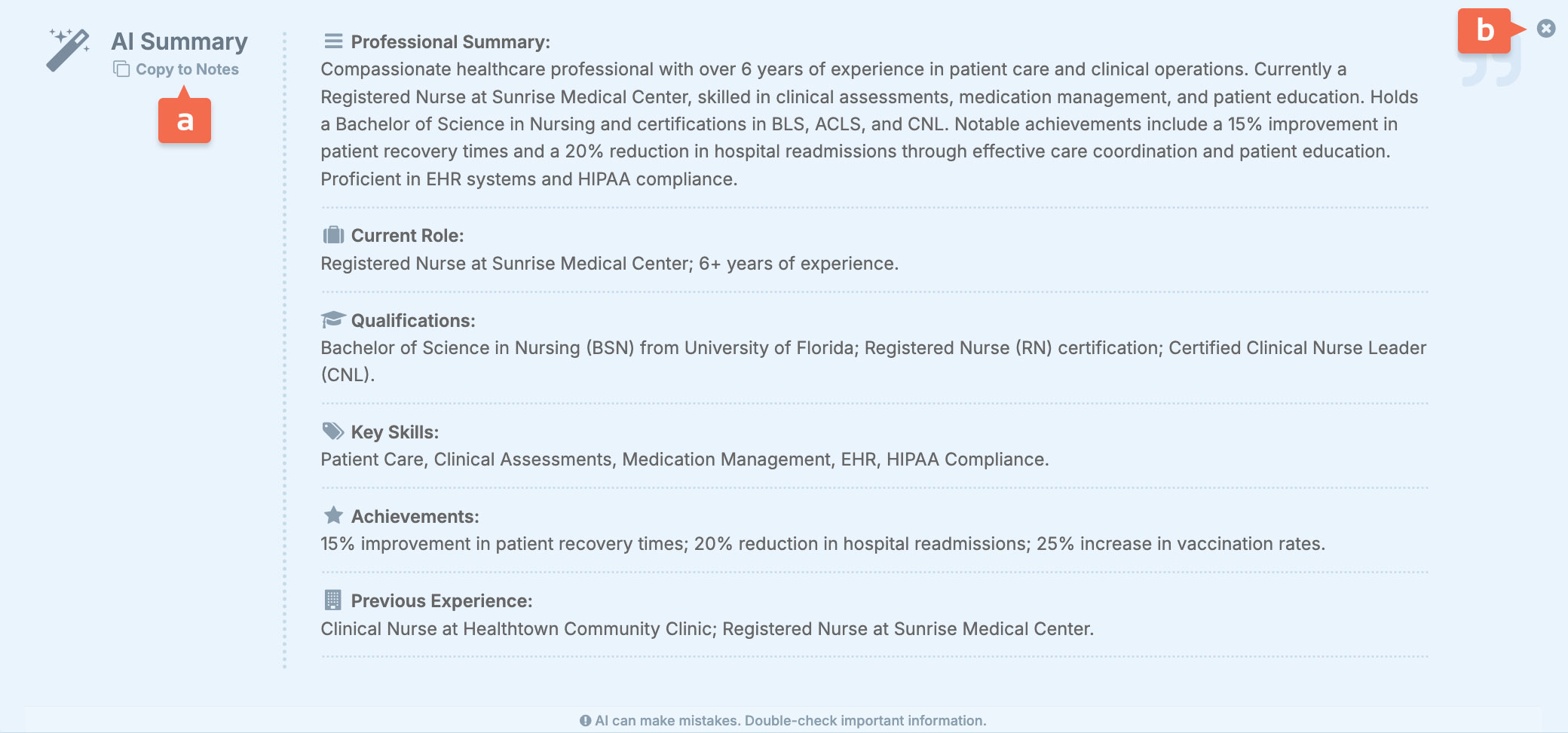
When parsing a CV (see list below), an AI generated CV summary is created that includes a Professional Summary, Current Role, Qualifications, Key Skills, Achievements, and Previous Experience. This summary can be appended to the candidate record’s notes [a] for future reference or dismissed [b] if not needed.
A CV summary is generated after performing any of the following actions:
- Adding a new candidate from [Candidates > Add Candidate].
- Importing a candidate from the Web Import screen [Candidates > Web Import].
- Clicking “Update CV” on a candidate record’s Overview screen (useful when a candidate submits an updated CV).
- Clicking “Create Agency CV” from either a candidate’s Overview or Docs screen, to create your branded Agency CV.
AI Candidate Matching
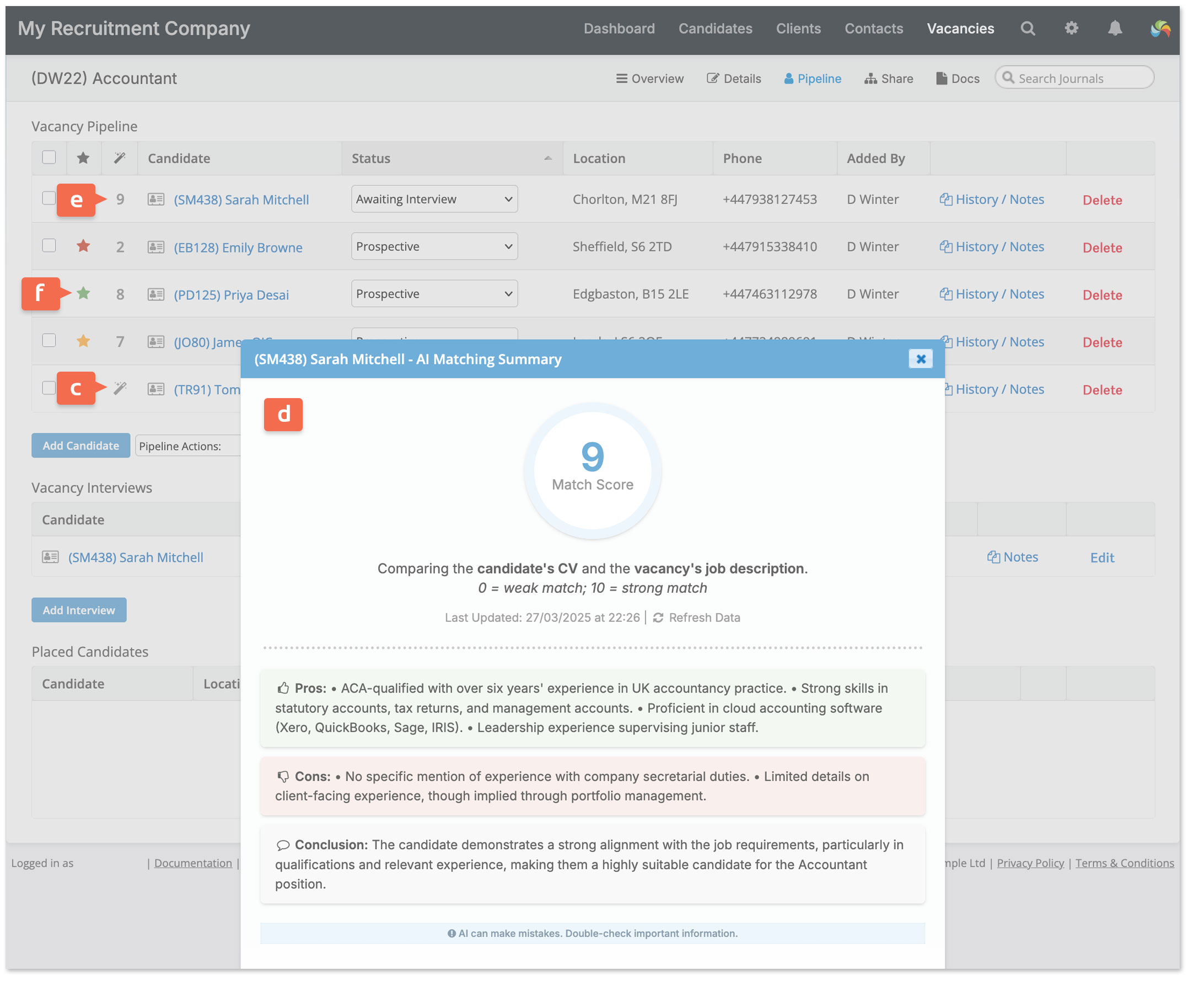
After adding a candidate to a vacancy record’s Pipeline screen, click the AI Matching Summary icon [c] to generate a matching score out of 10, along with a summary of pros, cons, and a conclusion [d]. This assessment evaluates the candidate’s suitability for the role by comparing their CV with the job description.
Alternatively, you can select up to five candidates at a time and use the ‘AI Matching Summary‘ option from the Pipeline Actions menu to generate matching scores for all selected candidates simultaneously.
Once generated, the matching score is displayed next to the candidate’s name [e]. Clicking on the score allows you to review or refresh the summary – for example, if the candidate’s CV or the job description has been updated (the summary includes the date and time that it was last generated).
Using the Matching Summary for guidance, the starring system [f] can then be used to highlight the most suitable candidates. The Pipeline can be sorted by star rating, or matching score by clicking the column header.
Notes:
- AI Candidate Matching uses the Job Description (Private) field, located in the Details section of a vacancy record.
- A detailed job description and well-structured candidate CV will produce better results.
- Once generated, the AI Candidate Matching summary is saved until the candidate is either removed from the vacancy or the summary is refreshed.
AI Writing Tools
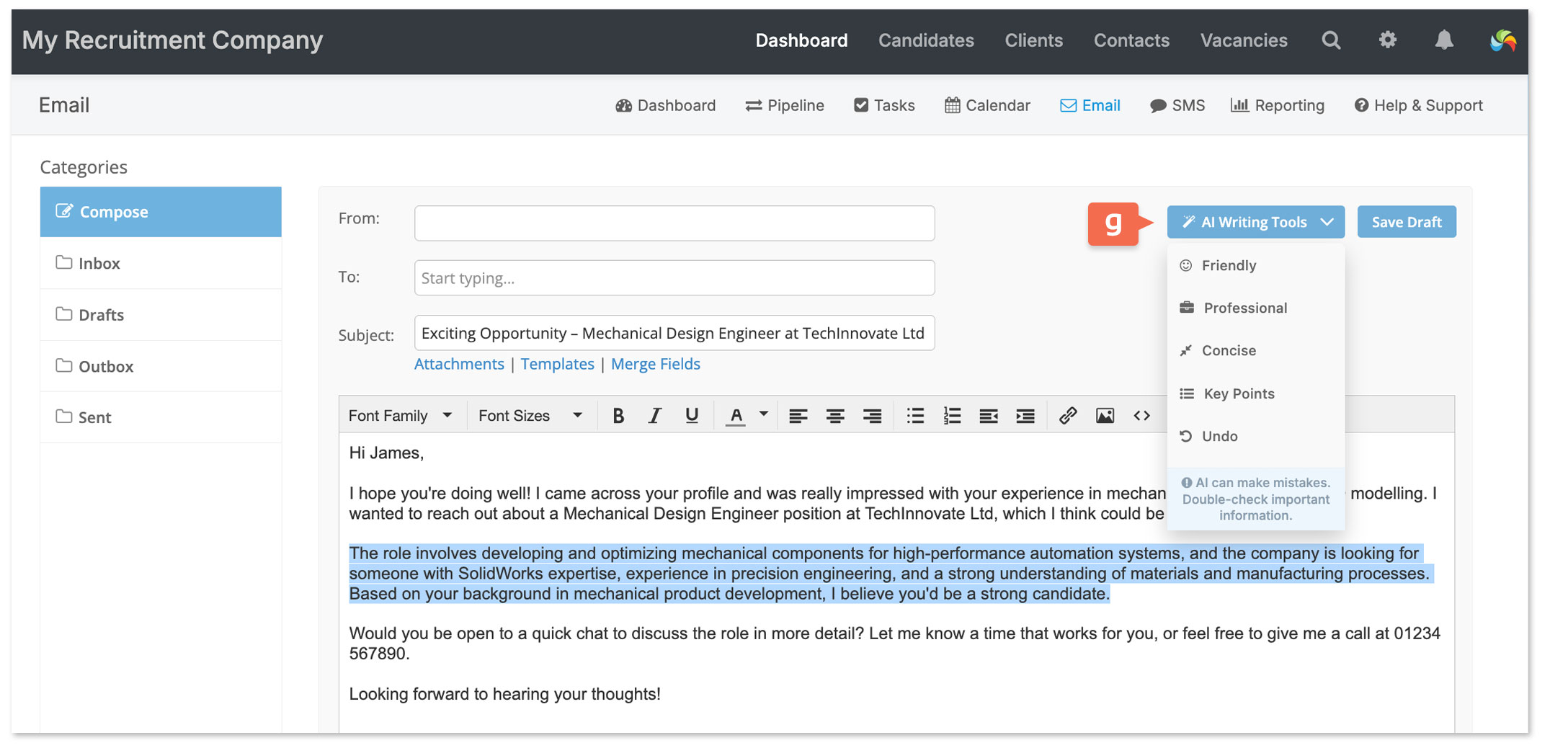
Let AI Writing Tools assist you in composing emails, texts, and more. Simply select the text you need help with and choose a writing style [g] that best suits your purpose.
AI Writing Tools can be used in the following scenarios:
- Composing an email
- Writing an SMS message
- Adding a journal entry (located on a record’s Overview screen)
- Creating a task (on a record’s Overview screen or under [Dashboard > Tasks])
- Adding or editing the Job Description (Private) (found in a vacancy record’s Details screen)
- Creating an Agency CV (from a candidate record’s Overview or Docs screen)
- Creating an Info Request from [Candidates > Info Requests]
Note: Selected text must be between 50 and 5,000 characters.
AI Generated Job Description Templates
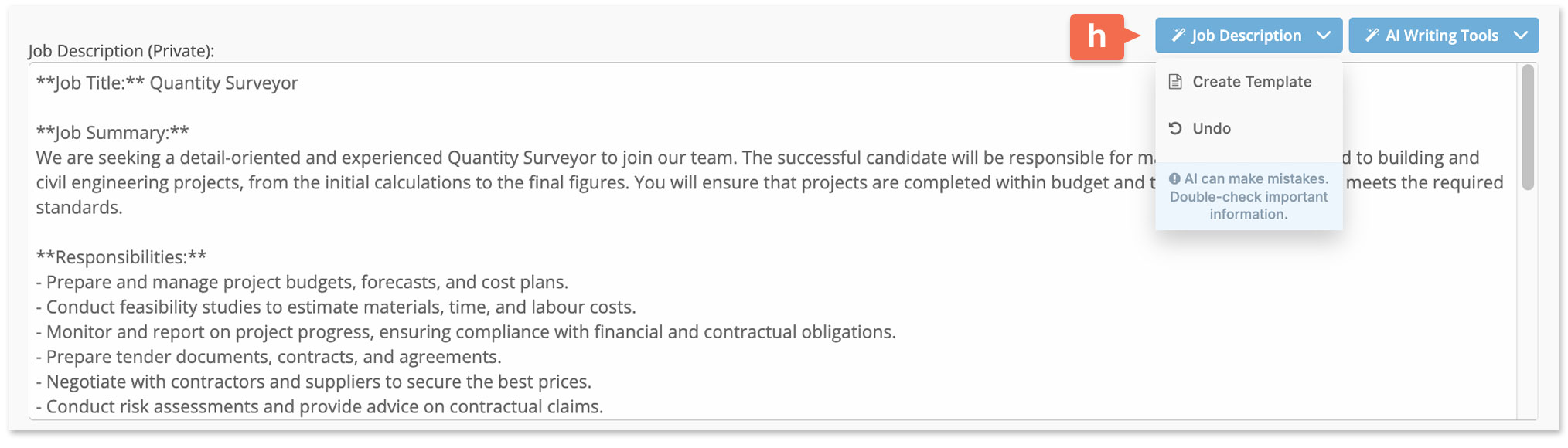
To save time, create a job description template [h] in the Job Description (Private) field on a vacancy record’s Details screen, or from [Vacancies > Add Vacancy]. The template will be based on the vacancy’s job title, basic details such as permanent/contract, full-time/part-time, and salary requirements.
AI Generated Interview Questions
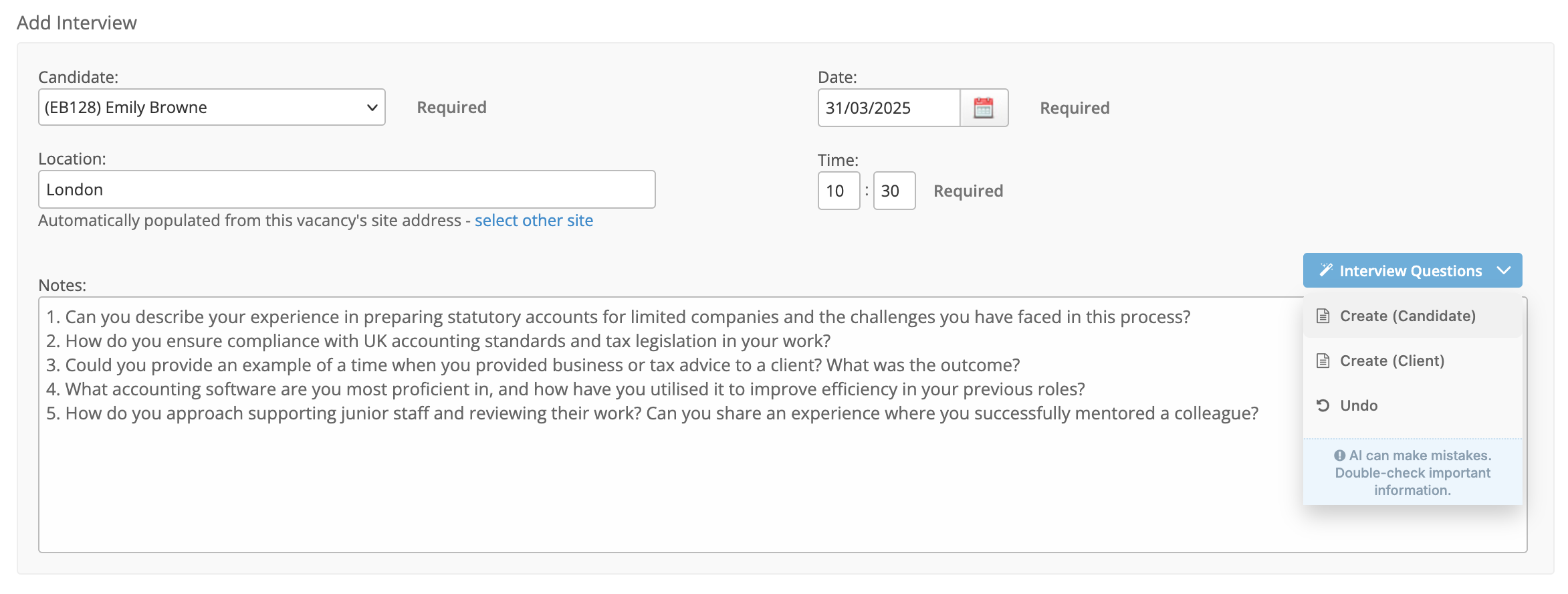
When adding a new interview to a vacancy [Vacancy > Pipeline], you can generate example questions based on the job description. These can reflect either the candidate’s perspective (questions for interviewers) or the client’s (questions for the candidate).
Use of these AI features is subject to our terms and conditions.
Please read our policies on AI use on our website.