Create, send and manage eSignature documents directly in Recruit So Simple, with flexible signing for both candidates and clients.
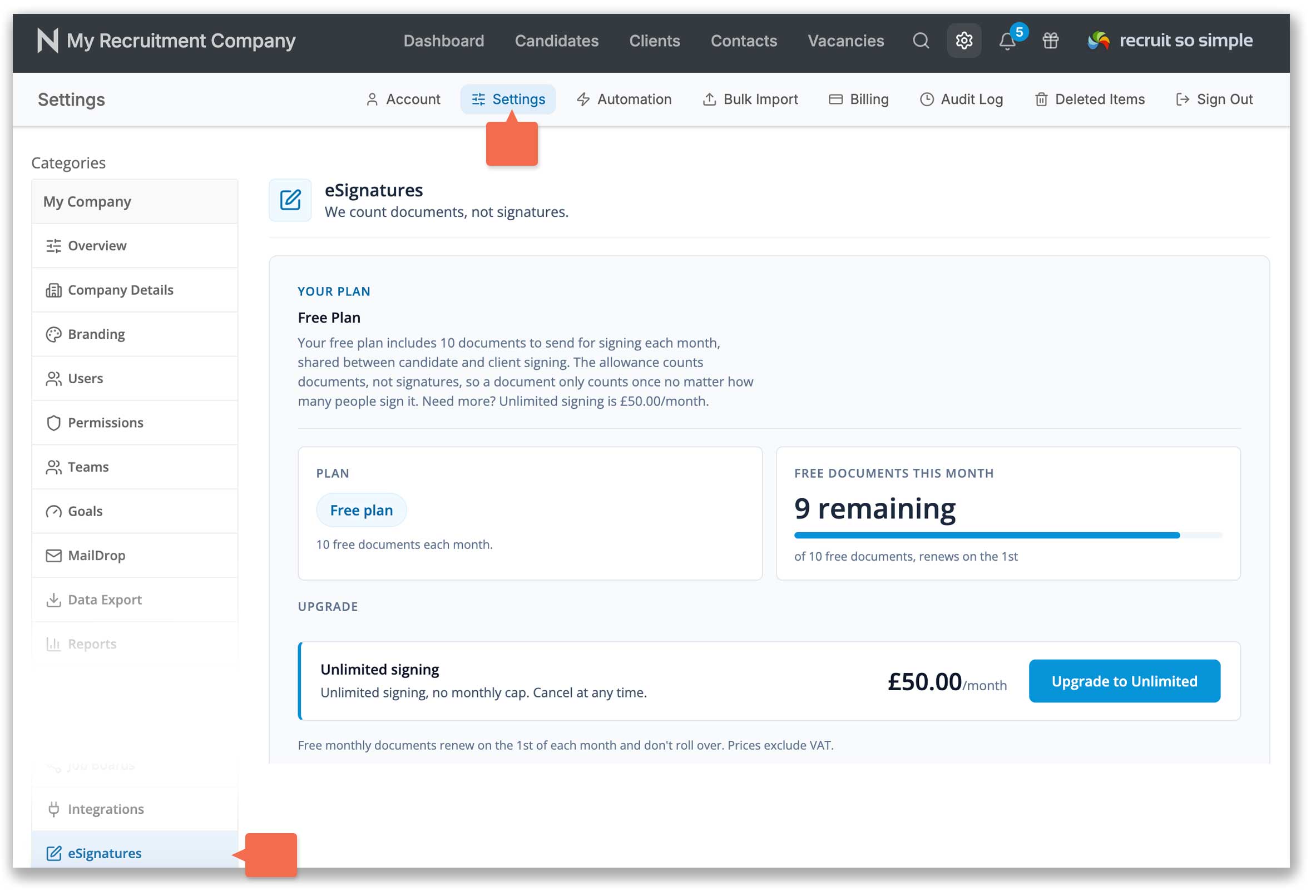
Your subscription includes 10 eSignature documents each month at no extra cost. Unlike many providers, we count documents, not individual signatures, so one document can include up to 10 signers without using up extra credits.
Your free monthly allowance renews on the 1st of each month and unused documents do not roll over. Need more? Upgrade to unlimited eSignature documents for £50 per month, excluding VAT, and cancel anytime to return to the included free plan.
Review your remaining documents, and upgrade or downgrade your eSignature plan in [Settings > eSignatures]:
How to create an eSignature document
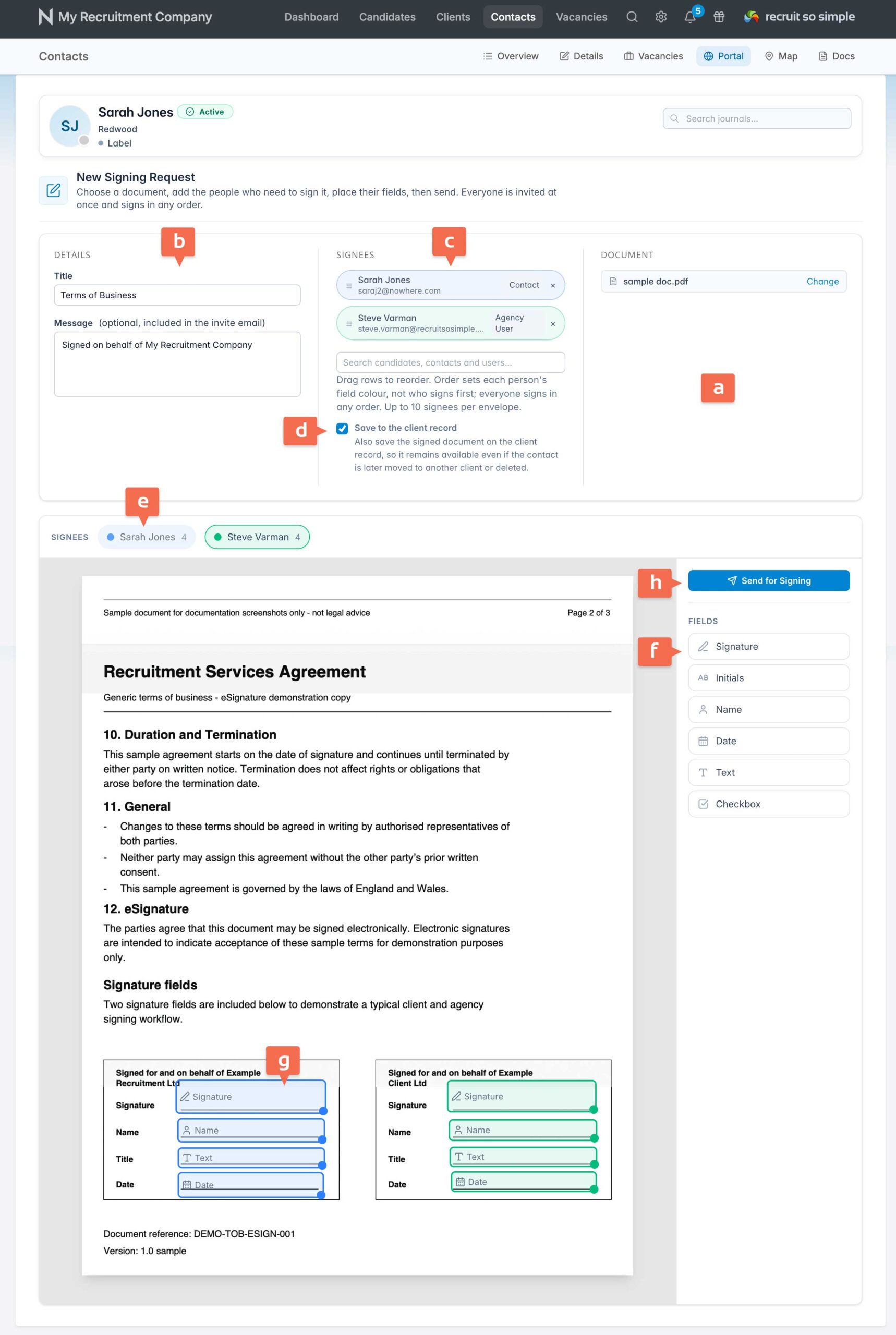
- Open a client, candidate or contact record’s Portal screen.
- Upload the document [a] you want signed from your computer.
- Give the document a title [b] and, if needed, add a message. This will be included in the invitation email.
- Search for and add up to 10 signees [c]. Contacts, candidates and users from your organisation can all be added as signees.
- When creating a document from a contact record’s Portal, you can save a copy to the client record [d]. This ensures the client keeps a copy, even if the contact is deleted later.
- Review the list of signees. Each signee is colour coded [e].
- Select a field [f], then place and resize it on the document [g].
- When the document is ready, click Send for Signing [h].