
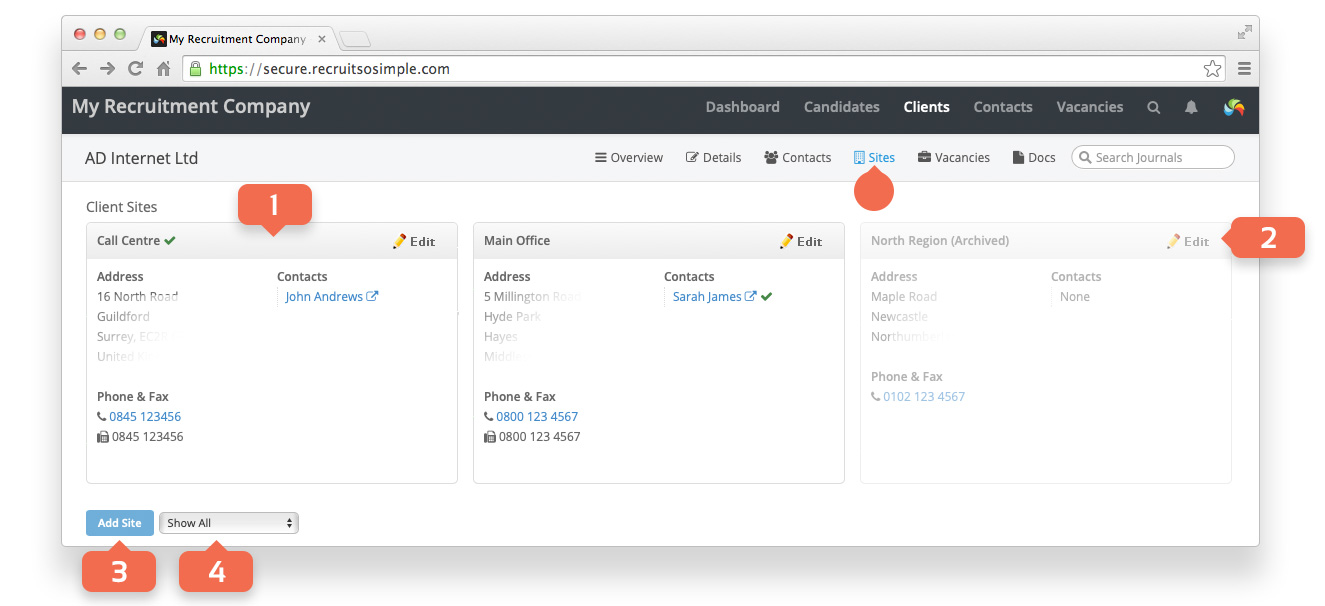
The Client’s Sites screen
The address of a client is known as a site in Recruit So Simple. A client can have as many sites as needed. The site marked as the Main site will be the address that is displayed on the client’s Overview screen.
- Site details.
- Edit a site’s details.
- Add a new site.
- Show or hide archived sites.
A client’s main site address can be added when creating a new client.
Site Tags
Edit a site to add tags. This is useful if you want to later search clients or contacts based on specific sites. For example, sites tagged at HR Manager.