Dashboard > Pipeline
The Dashboard Pipeline gives an overview of candidates and open vacancies. Candidates can be progressed via the Vacancy Pipeline. By default, the Pipeline contains the following statuses:
- Shortlisted
- CV Sent
- Awaiting Interview
- Interviewed
- Interviewed (2+)
- Under Offer
- Accepted
- Placed
- Unsuccessful
- Withdrew
Custom statuses can be added from [Settings > System Settings > Fields].
Candidate View
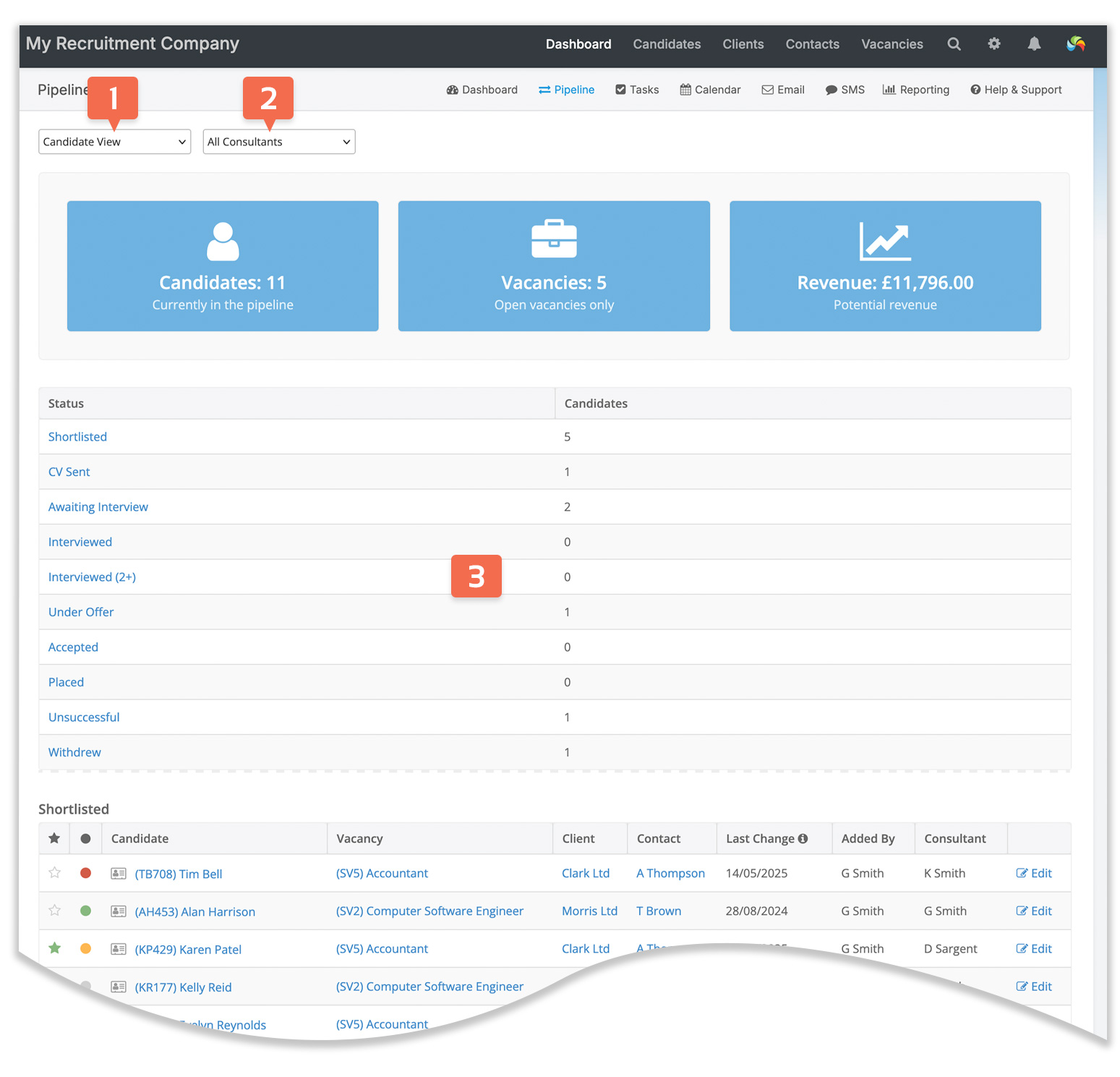
- Shows the number of candidates and open vacancies in the pipeline.
- Candidate view [1] lists candidates and their status for all open vacancies.
- Filter [2] to show candidates for all consultants, a single consultant or for a team.
Potential Revenue:
- Potential revenue is calculated based on the fees that you have entered globally, per client or per vacancy.
- If a vacancy has a salary range, the higher amount is used for the revenue calculation.
- If a vacancy has more than one position, revenue is multiplied by the number of positions.
- Potential revenue is calculated for open vacancies only. To see revenue for closed vacancies, you can generate a Placements & Revenue report from [Dashboard > Reporting].
Navigation:
- Click on the summary headings [3] to quickly navigate to a status further down the page.
- Click on the candidate’s name to go to the candidate’s record.
- Click on the vacancy title to go to the vacancy’s Overview page
- Click on the client’s name to go to the client’s Overview page.
- Click on Edit to go to the vacancy’s Pipeline page.
Placed candidates are removed from the Dashboard Pipeline after their start date.
You can customise pipeline statuses to suit your workflow in [Settings > System Settings > Fields].
Vacancy View
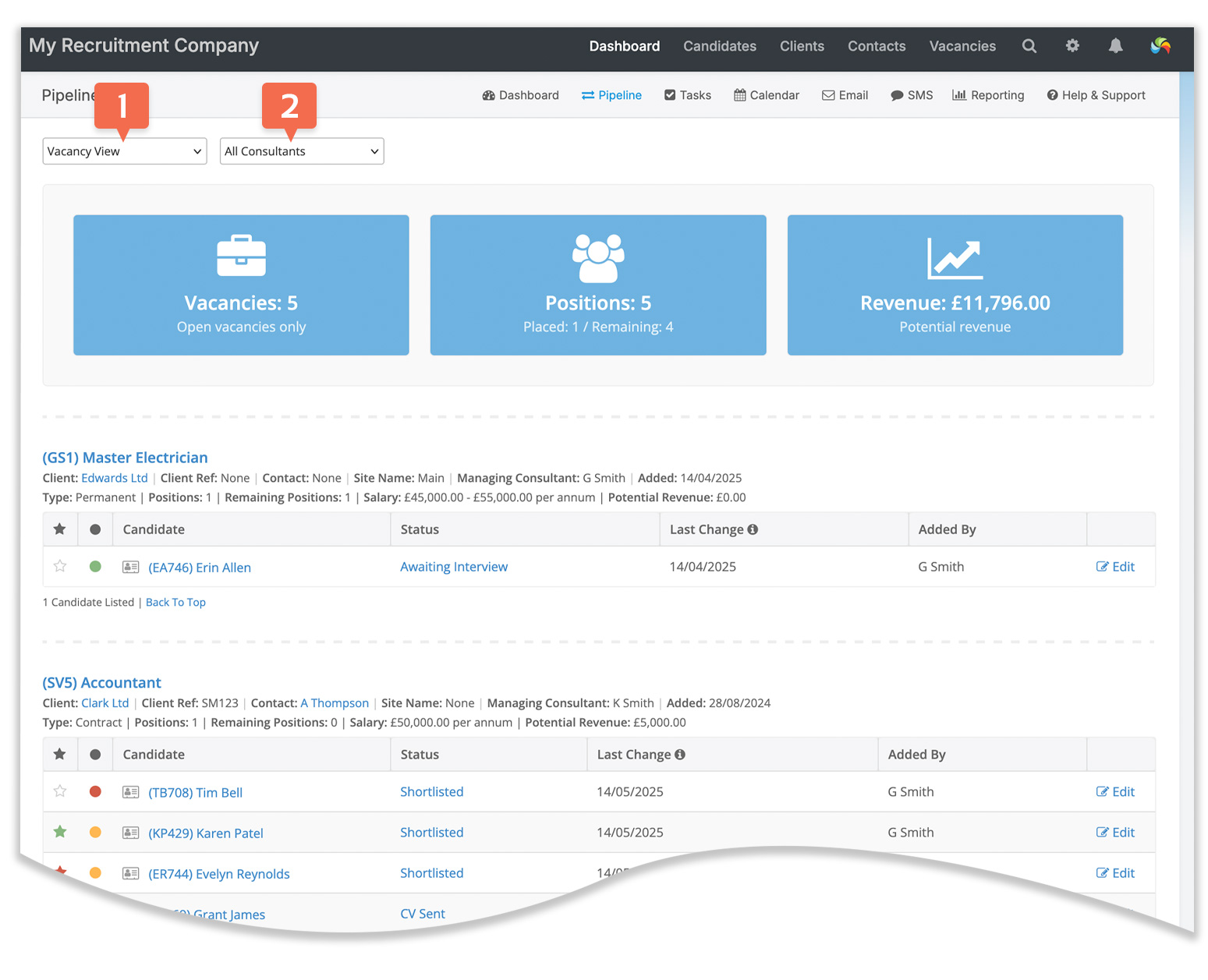
- Vacancy view [1] lists open vacancies with associated candidates.
- Filter [2] to show candidates for all consultants, a single consultant, or for a team.
- Various details are shown, including the potential revenue for each vacancy.
Navigation:
- Click on the candidate’s name to go the candidate’s record.
- Click on a candidate’s status or Edit to go to the vacancy’s Pipeline page.