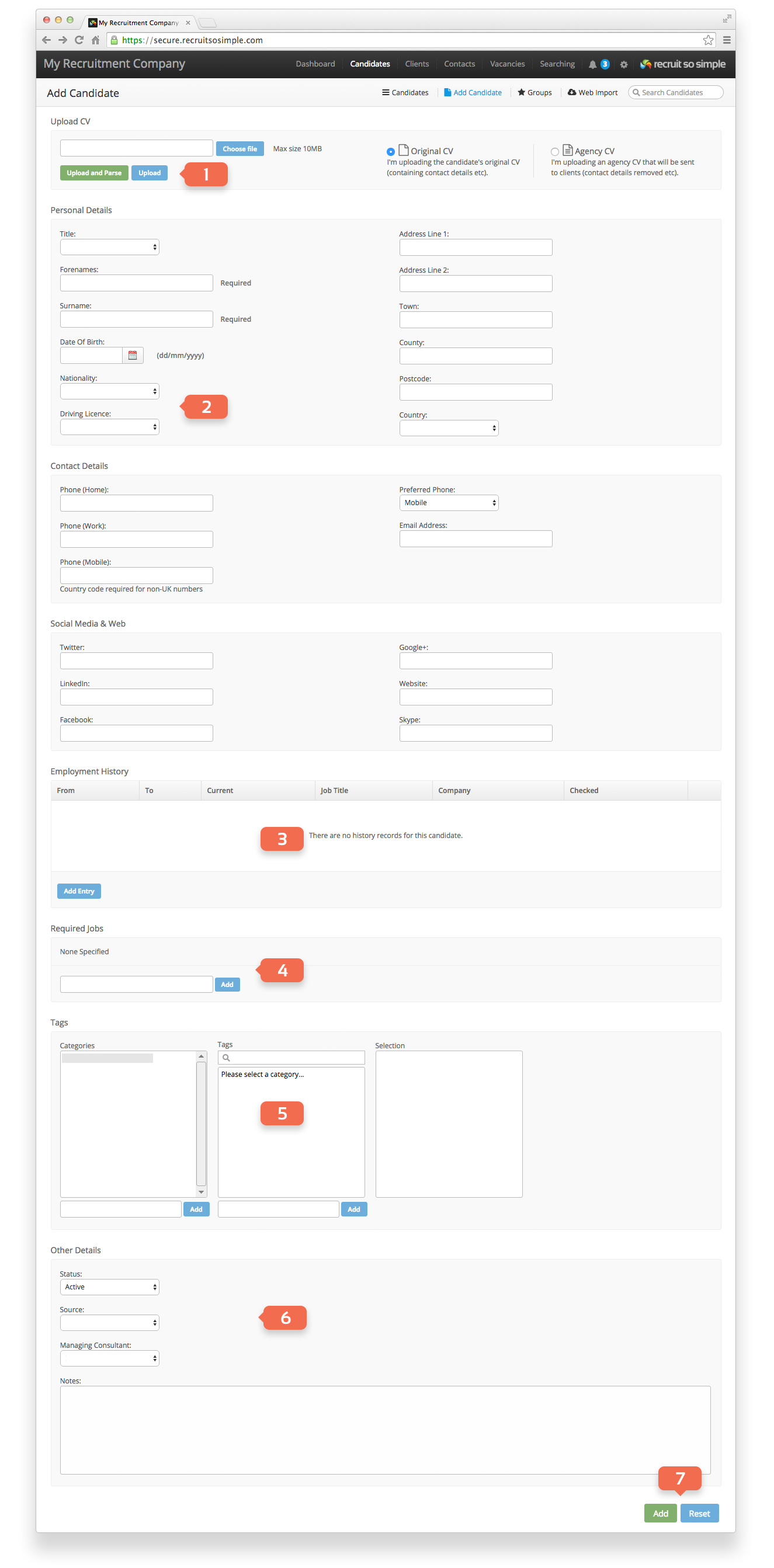
You can add candidates in 4 ways:
- Upload and parse a CV.
- Manually enter a candidate’s details and upload their CV.
- Bulk upload candidates from a .ZIP file of CVs, this achieved from [Settings > Bulk Import > Candidates]
- Parse a CV using MailDrop.
On the Add Candidate screen you’ll find the following:
- Upload and Parse (let the parser add your candidate). Upload (upload a CV and add the candidate’s details yourself). Parsed CVs will be searchable by the system. You can make uploaded CVs searchable from the candidate’s Docs screen.
- Customisable menus: You can enter your own list items for Nationality, Driving Licence and Source from [Settings > System Settings > Fields].
- Employment History: The parser will search the CV for the candidate’s employment history.
- Required Jobs: Add job titles that the candidate is looking for.
- Tags: Add tags to your candidate to suit your needs. Tags are organised into categories. Selected tags are shown in the ‘Selection’ window.
- Add a source, set a status and assign a managing consultant.
- Click the Add button.
The system supports parsing for the following file formats:
- Microsoft Word (.doc, .docx)
- Adobe PDF .pdf
- Plain text (.txt)
- Rich text (.rtf)
- Web based (.htm, .html)
- Open Office 2.0 (.odt)
Candidate Duplicate Checking
Candidate duplicates are detected in the following ways:
Add Candidate/Web Import – If the email address or the candidate’s name matches those of any existing candidates, you will see a list of potential duplicates appear.
If any potential duplicate candidates are found then you can select to update the existing candidate’s record with a new CV.
MailDrop/Bulk Import – If an email address is not provided/parsed, a duplicate is a candidate with the same name. Otherwise, a duplicate is a candidate with the same email address or no email address and the same name.
AI CV Summary
This feature requires AI Tools enabling in [System Settings > Company Details]. The AI generated CV summary includes key sections such as a Professional Summary, Current Role, Qualifications, Key Skills, Achievements, and Previous Experience. You can read more about our AI Tools here.